Mobiography

Mobiography is all about Mobile Photography, iPhoneography and taking stunning photographs with your smartphone's camera

Powered by Blogger.

About Me

*****
View my complete profile

Blog Archive

  • ►  2022 (17)
    • ►  May (1)
    • ►  January (16)
  • ►  2021 (7723)
    • ►  December (325)
    • ►  November (680)
    • ►  October (686)
    • ►  September (670)
    • ►  August (678)
    • ►  July (614)
    • ►  June (633)
    • ►  May (691)
    • ►  April (694)
    • ►  March (701)
    • ►  February (648)
    • ►  January (703)
  • ►  2020 (8263)
    • ►  December (718)
    • ►  November (689)
    • ►  October (626)
    • ►  September (685)
    • ►  August (715)
    • ►  July (697)
    • ►  June (672)
    • ►  May (700)
    • ►  April (694)
    • ►  March (706)
    • ►  February (656)
    • ►  January (705)
  • ▼  2019 (5435)
    • ►  December (712)
    • ►  November (687)
    • ►  October (703)
    • ►  September (681)
    • ►  August (675)
    • ►  July (709)
    • ►  June (657)
    • ▼  May (611)
      • kineticFIELD. iPhone X.
      • Loud, Bell Centre [iPhone X + Lightroom]
      • iPhone 4S + VSCO (2012)
      • Squishing the sun.
      • iPhone XS Max | VSCO
      • Richmond Night Market, shot with Spectre
      • iPhone XR | Lightroom
      • New York is Empty [iPhone 7: vsco]
      • Fire Poker plant (iPhone 6S Plus/Lightroom)
      • Night shot of KLCC (iPhone X)
      • Rainbow falls inside Watkins Glen Gorge, NY. iPhon...
      • Iceland Pt. 2
      • This cool “beware of wolf” sign on that employees ...
      • Portrait Mode. Neighbors City Chickens.
      • iPhone XR | unedited
      • Love Park, Philadelphia / iPhone XS
      • iPhone X non edited
      • Huge 80% Discount For iPhone Editing Academy Course
      • Chicago taken with iPhone 8
      • 1st Year On Earth [iPhone 6s Plus: VSCO]
      • Lord Howe Island (iphone 6)
      • Moody - capture on XS Max in Scotland UK, processe...
      • Greenery taken on iPhone 6s Plus, slight edit on S...
      • Sunset in Tacoma, WA (iPhone 7)
      • iPhone 6s - Fort Myers
      • iPhone 6s - Sanibel Island Early Sunrise
      • iPhone 8+, In Phone Smart edit. So Cal Superbloom.
      • A flower tree taken with iPhone 8
      • Ranch in Central Texas + google photos smart edit ...
      • Holden Reservoir | iPhone XS Max | VSCO
      • iPhone X | not edited
      • Spain. iPhone 7 Plus, VSCO.
      • Simple ATM (iPhone XS Max / Snapseed)
      • Garden. XR + stock enhance
      • Simple ATM (iPhone XS Max / Snapseed)
      • Golden Gate Straight [iPhone 7 Plus & Lightroom]
      • China Hong Kong City Shopping Mall | VSCO
      • Bird landed on balcony. Taken on iphone XS.
      • Lazy evening / Xs Max “ google photos
      • Lago del Brugneto (iPhone 8 Plus + VSCO)
      • Iceland
      • Maui continues to amaze me
      • How do I add photos to my iPhone from my computer ...
      • iPhone XR and Focos
      • A foggy night. Taken with iPhone 8
      • Asbury Park, NJ // Xs Max +VSCO
      • Shot on my iPhone 7 Plus with no extra lenses usin...
      • spring time rain // iphone xs max • halide • darkroom
      • Kerala, India. Evening at Houseboat, iPhone XS Max
      • baby shark - X | SKRWT | Snapseed
      • IPhoneXR. Snapseed.
      • Slow and steady wins the race. Shot on iPhone 8 Plus.
      • Montreal
      • Picture taken from my iphone XS on a rainy day...
      • Took this on my iPhone 7 at universal studios Orlando
      • Photo I took of my new Mac. iPhone XR
      • Got stuck with the aisle seat. [iPhone 6S, edited ...
      • Library. iPhone XR
      • Ixora | iPhone X
      • Kansas wheat field.
      • Taking off from Bermuda used Spectre
      • Bubbles! [Iphone 6S, Macro lens]
      • Cyprus/iPhone 8
      • Messed around downtown in the rain and got one I d...
      • Thought the Skylon Tower looked pretty cool tonigh...
      • Seagulls at Brighton's ruinous West Pier [OC] [iPh...
      • Thor visited my city
      • shot this on iPhone X during last night's thunders...
      • At a diner just after sunrise. iPhone XR. Edited o...
      • iPhone Xs no filter stock camera. Florida.
      • Bridge to the beach (iPhone 6)
      • Newport RI, iPhone XS Max
      • Show off your carry/travel setup & case
      • An afternoon at the beach. Shot on iPhone X with M...
      • New York 2017 (iPhone 6 + VSCO)
      • Macro photography is like exploring a whole new wo...
      • Shot on iPhone Xr + Halide app
      • Maui | iPhone X | ProCam + Lightroom
      • iPhone X - 10x zoom - Vsco
      • There’s a Pyramid, so this must be Egypt | 6 plus ...
      • The station - XR
      • Mastering the Basics : Adobe Lightroom
      • Golden Hour (iPhone 6s, unedited, stock cam)
      • How To Use Photo Editing Apps To Make Ordinary Pho...
      • Layover in Istanbul (iPhone 7 Plus/Lightroom)
      • Sydney River. Shot on iPhone 6
      • Corsican favelas, taken from iPhone 8
      • iPhone 8 Plus portrait mode - my photogenic cat
      • Cloudy sky in Paris / iPhone 8
      • Meerkat at the Zoo. iPhone X.
      • Shot on my iPhone Xs. No filter, stock camera.
      • iPhone XS Sandmarc Wide lens distortion?
      • i took a photo of the sunset. XR + HALIDE.
      • Pastis exploring San Francisco, shot on iPhone X b...
      • I took a picture of a Bridge from my iPhone SE. Cr...
      • Bowie enjoying a sunny day| iPhone X
      • 10 Hidden iPhone Camera Features Every Photographe...
      • Las Vegas Paris [8 plus]
      • Portrait of a dog - iPhone X portrait mode, edited...
      • [iPhoneXR] Makapu’u Lighthouse
      • Scottsdale Civic Library (iPhone 8+)
      • Reflections from Buenos Aires
      • Yellow metro | 7+ | Halide + Darkroom
      • Objects in the Mirror | iPhone 7+
      • Question About Dust on Lens
      • Eiffel Tower | iPhone 6S Plus
      • Lobster pots - no edits
      • Texas Direct Mural in Downtown Houston
      • Review: Adobe Lightroom Mobile and what's included...
      • Pick your side. Shot on iPhone 8 Plus
      • Urine trouble | iPhone X Afterlight 2
      • Paying Respects
      • 7am @ Atlantic beach.
      • Sunset over a barley field (iPhone 6S Plus)
      • .|6s plus * google photos
      • Chesapeake Bay. Annapolis, MD. iPhone XR
      • Streets of Malaysia. Shot on iPhone 8 plus with Mo...
      • Paris cityscape, iPhone 8
      • Marina Bay Sands, Singapore [iPhone XR, Unedited]
      • A scenic hike in Oregon -XS unedited
      • The Calling [iphone 6 plus + Lightroom edit]
      • Sevilla, Spain (X-Unedited)
      • Dusk in Denver. iPhone XR + focos
      • Storm In Miami - unedited - can anyone explain the...
      • Dubai Mall [iPhone XR + Stock(no edits)]
      • [iPhone XR] Bay st at Queen st W.
      • Hiking in Vermont | iPhone XS + Moment app
      • Soni Plateau, Japan (iPhone XR unedited)

Pinterest Gallery

featured Slider

Instagram Shots

Tweet Tweet

Tuesday, May 21, 2019

5 Best Painting Apps That Turn Your iPhone Photos Into Paintings

  6:43 AM *****   iPhone Photography School   No comments

Do you want to make a photo look like a painting? It’s easy with an iPhone photo painting app! But with so many photo art apps available, how do you know which one to use? In this article, you’ll discover the 5 best painting apps for turning your iPhone photos into beautiful works of art.
painting apps

1. Brushstroke App

The Brushstroke app ($3.99) converts your photo into a painting with just one tap.
painting apps

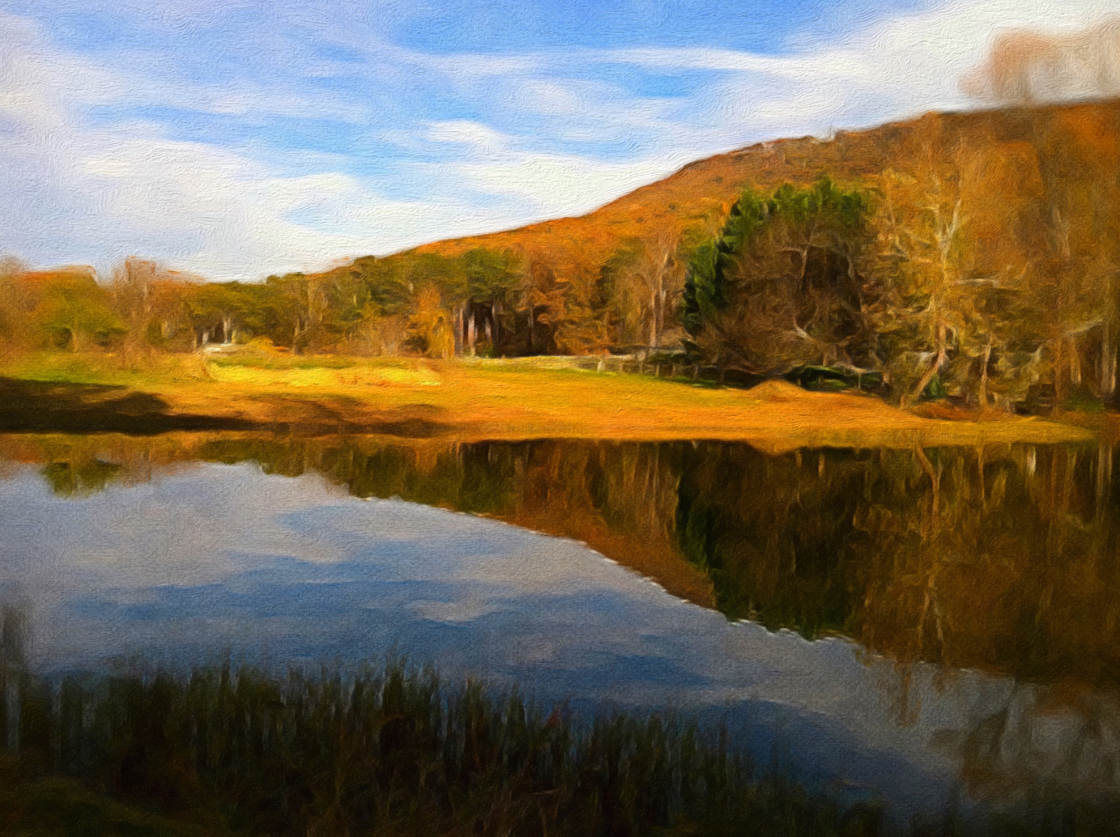
It offers more than 50 different presets in a wide variety of painting styles.

These include watercolor, acrylic, oil, lead pencil, gloss, and abstract.
painting apps

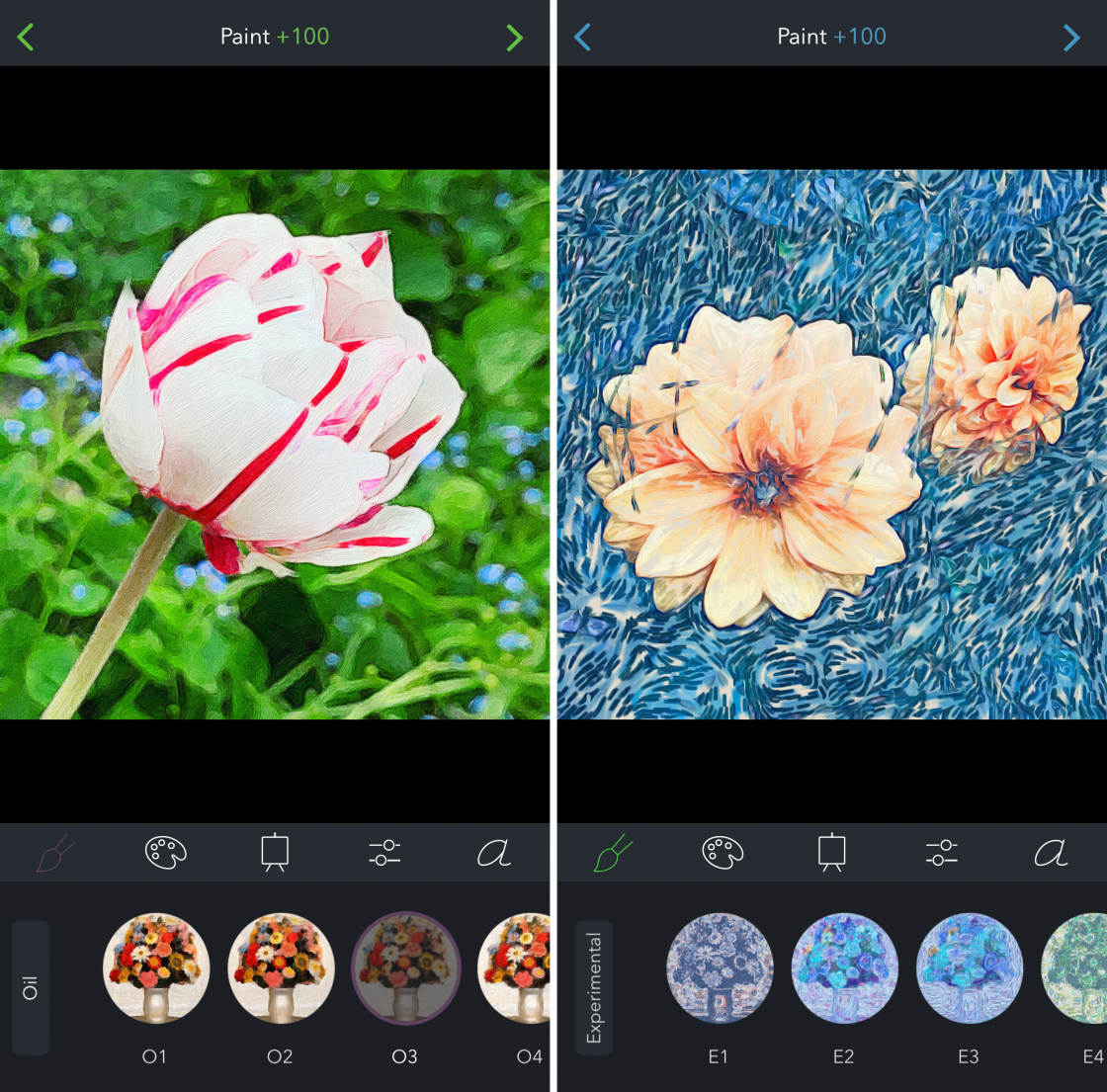
The Brushstroke app makes it very easy to turn a photo into a painting.

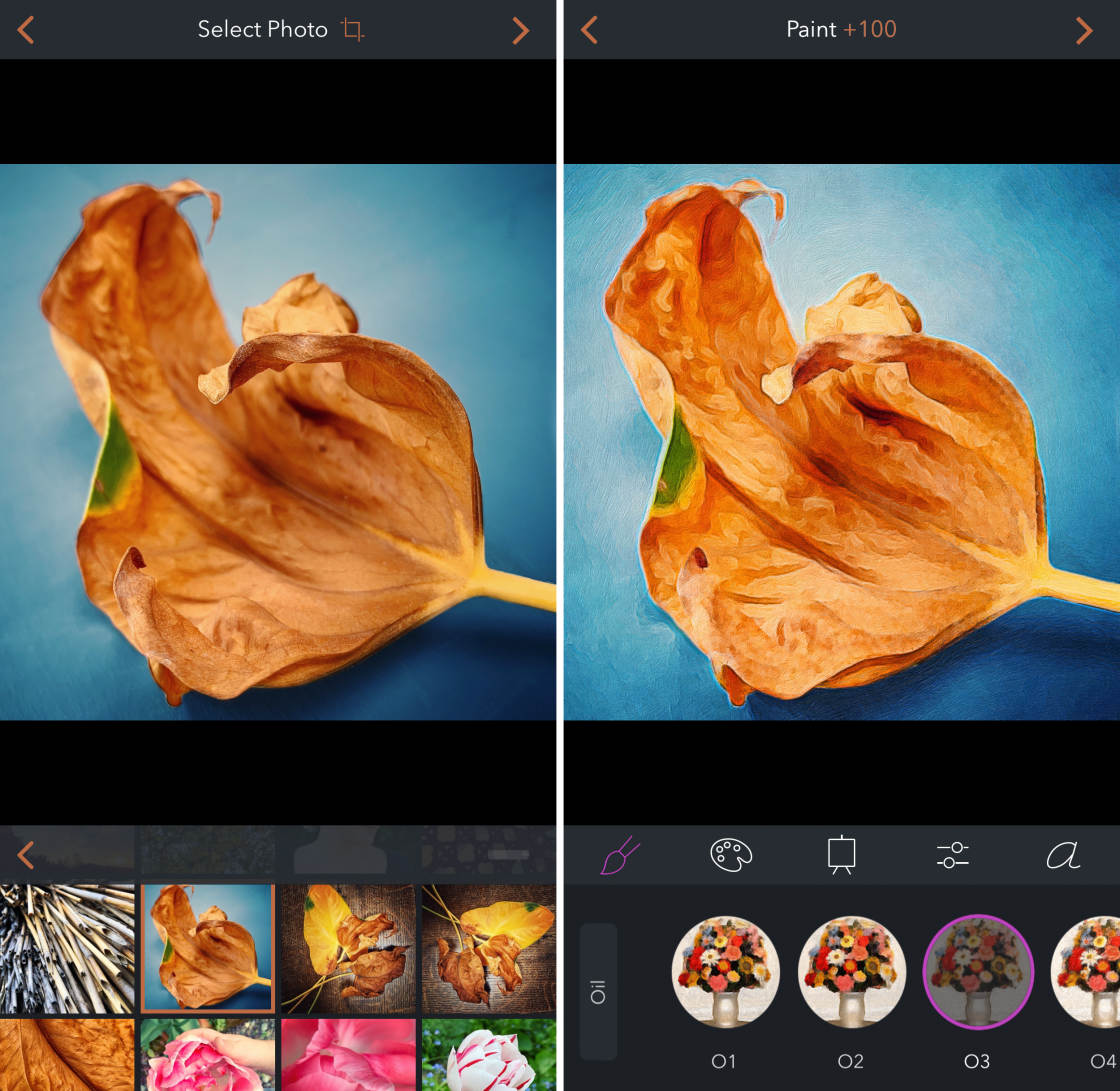
To apply a paint effect, simply select the style you want to use. You can adjust the paint intensity to achieve just the look you want.
painting apps

After painting the photo, you can edit settings such as contrast, saturation, exposure, and sharpness.

You can also adjust the colors or change the background texture.
painting apps

Do you want to see your masterpiece framed on your wall? It’s easy with Brushstroke!

You can order prints directly from the app and get them shipped straight to your doorstep.
painting apps

If you want to create beautiful paintings using a wide range of styles, Brushstroke is the app for you!

2. Glaze App

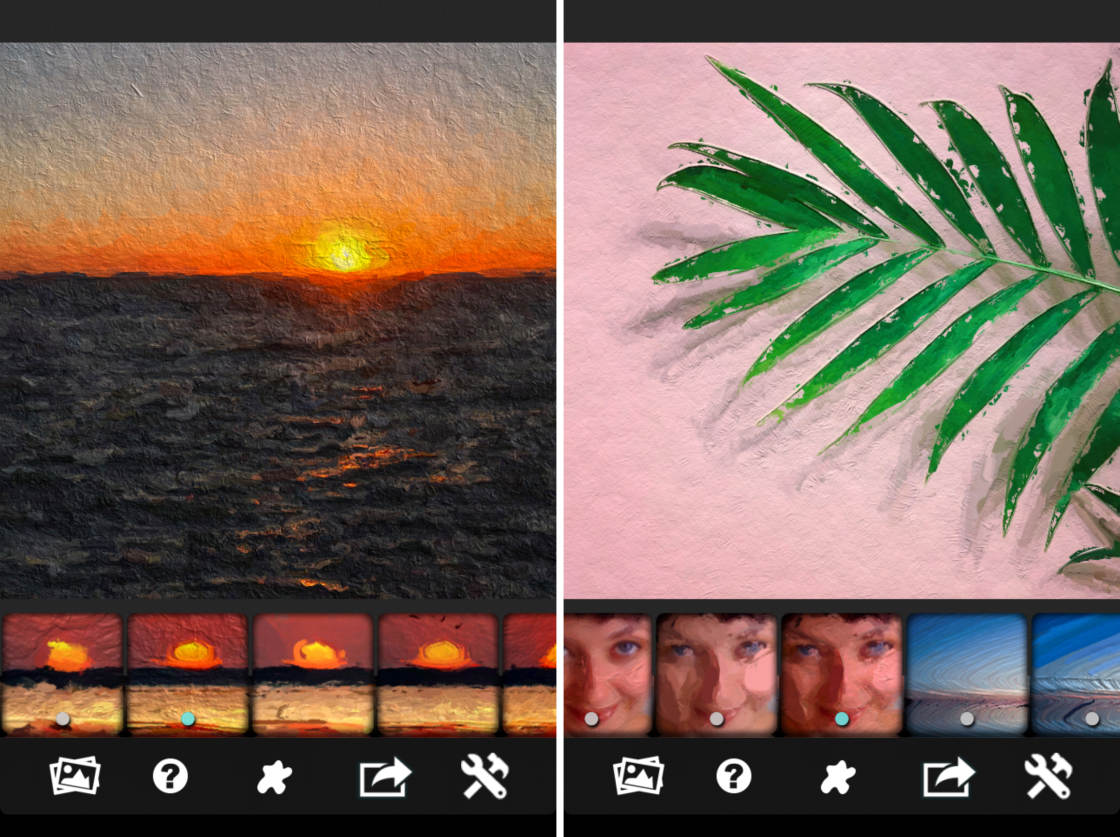
Glaze is a free photo to painting app that converts your pictures into textured paintings.
painting apps

With the free version of Glaze, there are 36 painting styles to choose from.

But you can unlock more styles for an additional $2.99.
painting apps

The app also allows you to create your own presets by stacking different styles together.

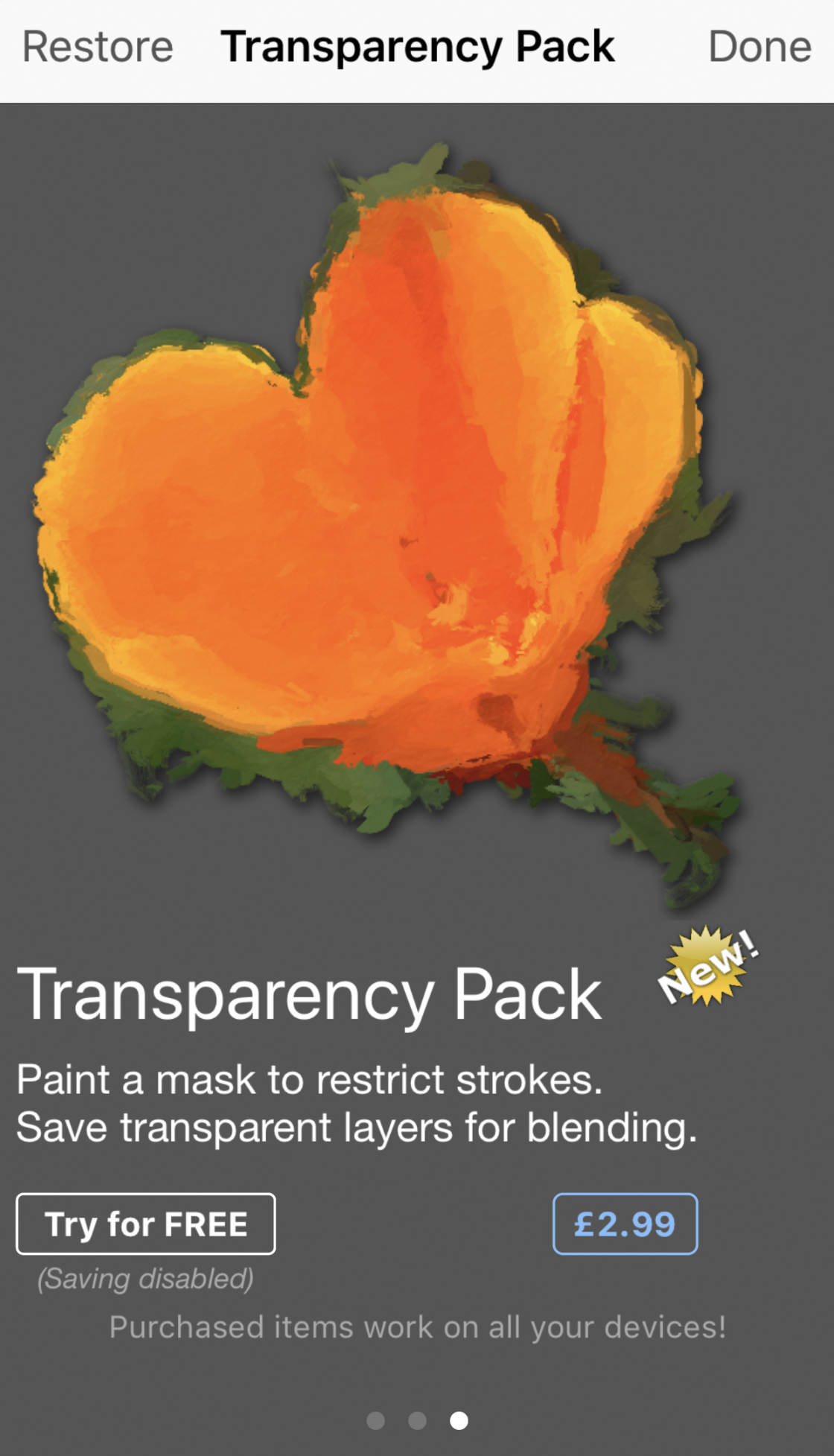
Another great feature of the Glaze app is the mask tool. This lets you apply the paint effect to only certain parts of your photo.

However, to use this feature, you’ll need to pay an extra $2.99 to unlock the transparency pack.
painting apps

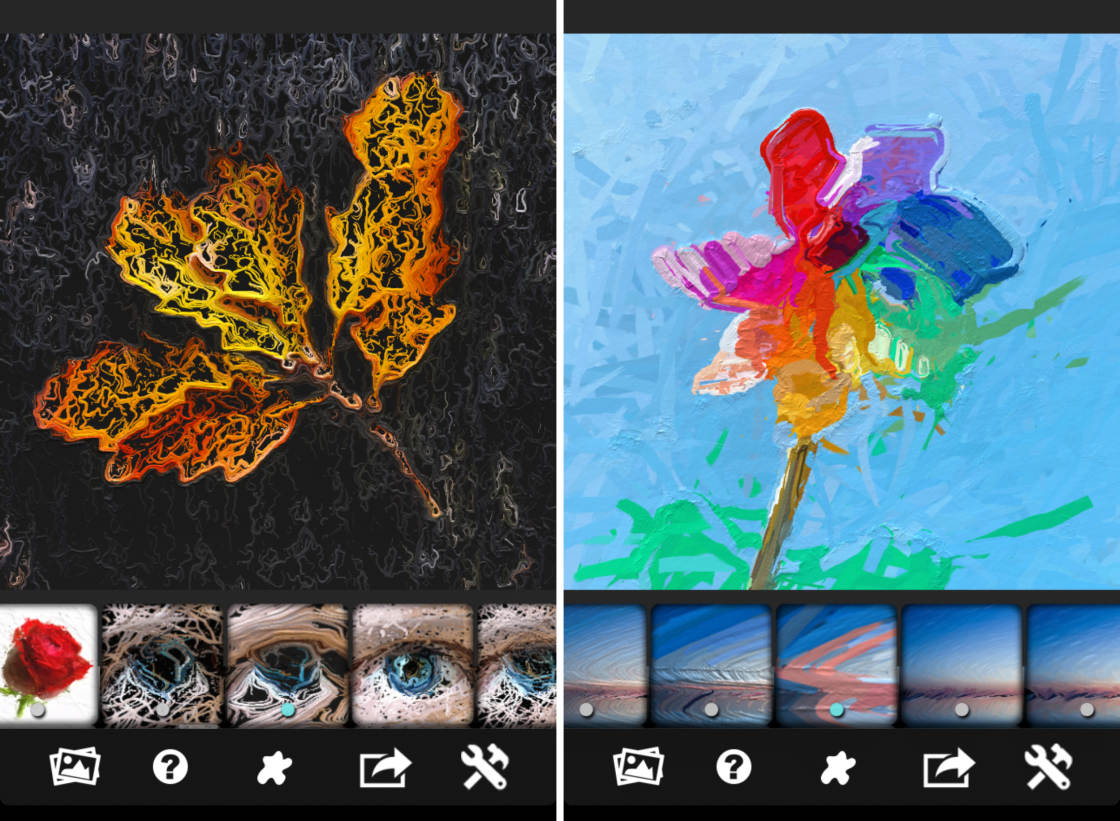
Many of the Glaze painting presets are strongly textured. And some of the effects will create interesting abstract images.
painting apps

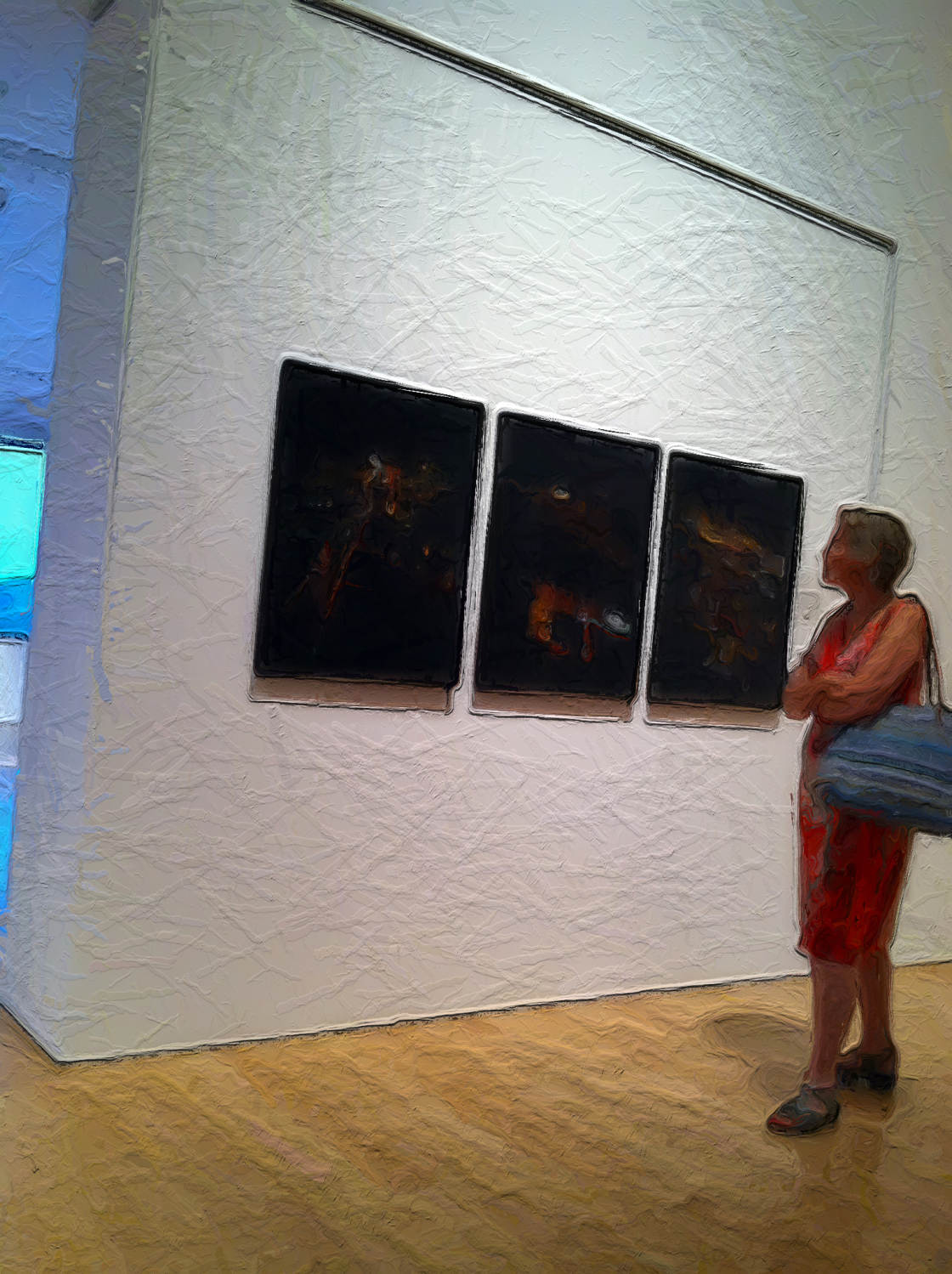
You can use the Glaze paint effects on any photo. But I find it works best on pictures that have strong shapes and contrasting colors.
painting apps

If you want to create paintings with a strong texture, Glaze is the perfect photo art app.

The 7 Best iPhone Photography Apps

There are thousands of excellent photo apps on the App Store, and the things you can do with apps are absolutely incredible. With that said, the number of photo apps out there is overwhelming, and it's really hard to know which apps are worth getting. 

That’s why we created this free report revealing the 7 best iPhone photography apps that you should start using straight away. Click here to download this free report. 
3. Waterlogue App

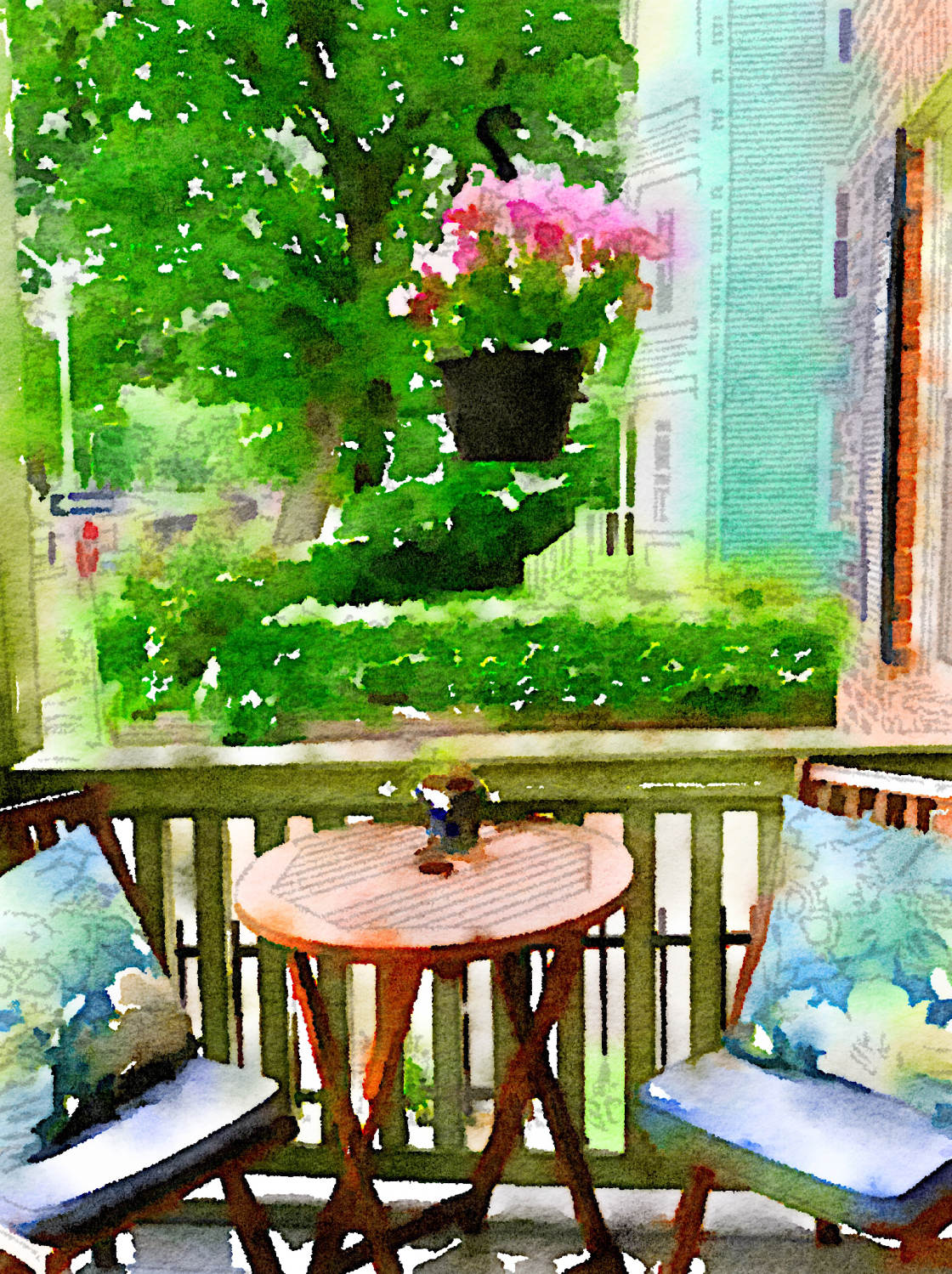
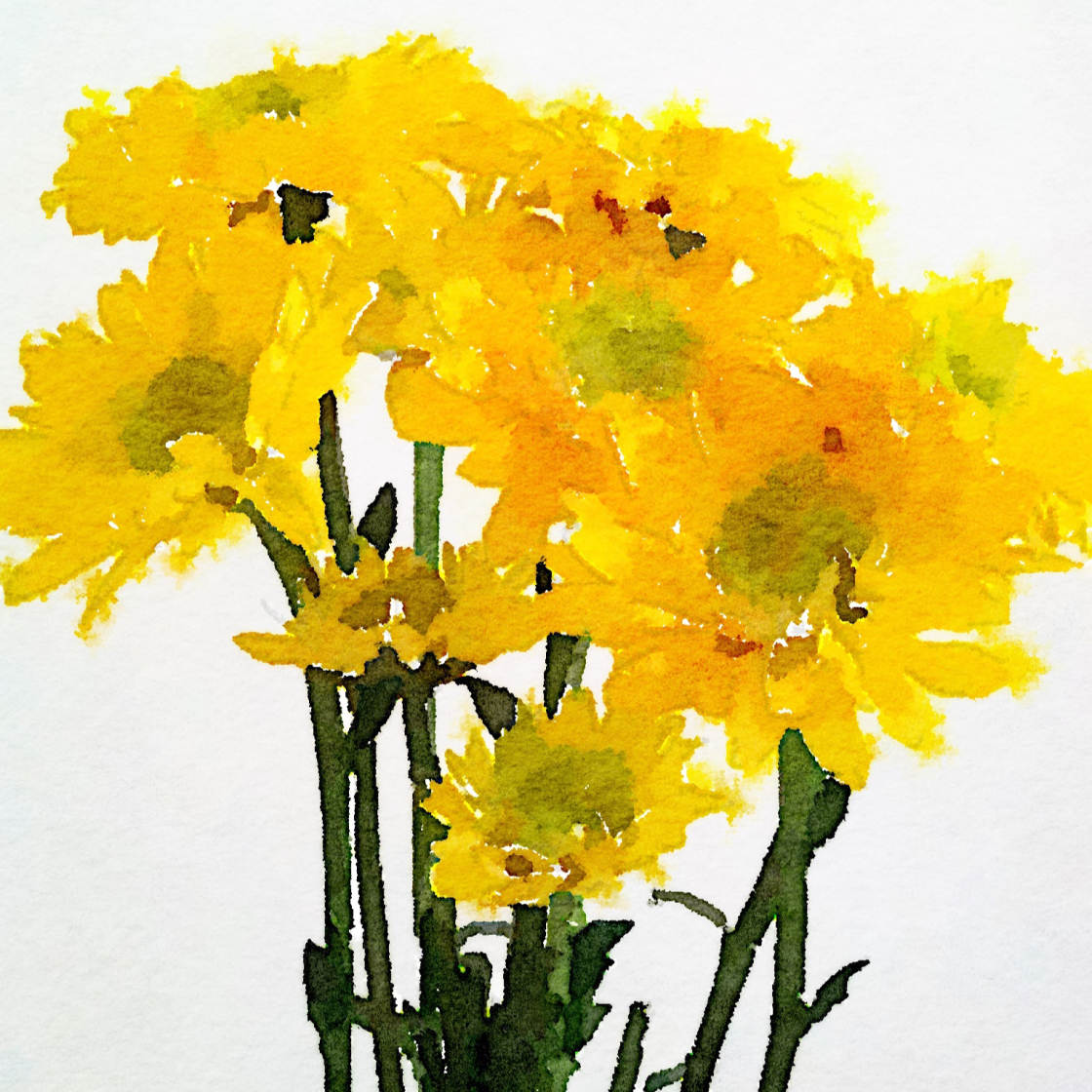
The Waterlogue app ($4.99) turns your iPhone photos into beautiful watercolor paintings.
painting apps

This watercolor app is incredibly simple to use.

As soon as you open a photo, the app automatically turns it into a stunning watercolor.
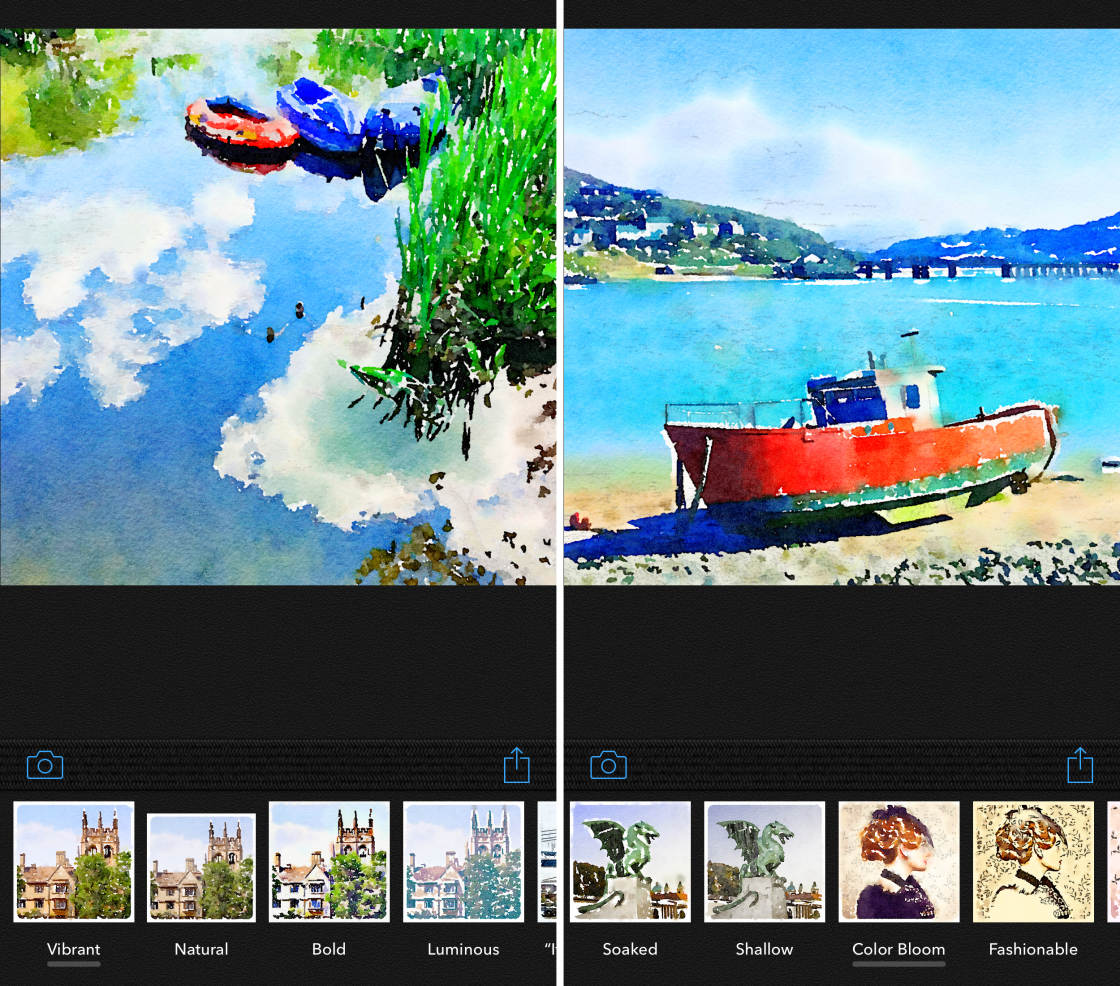
painting apps

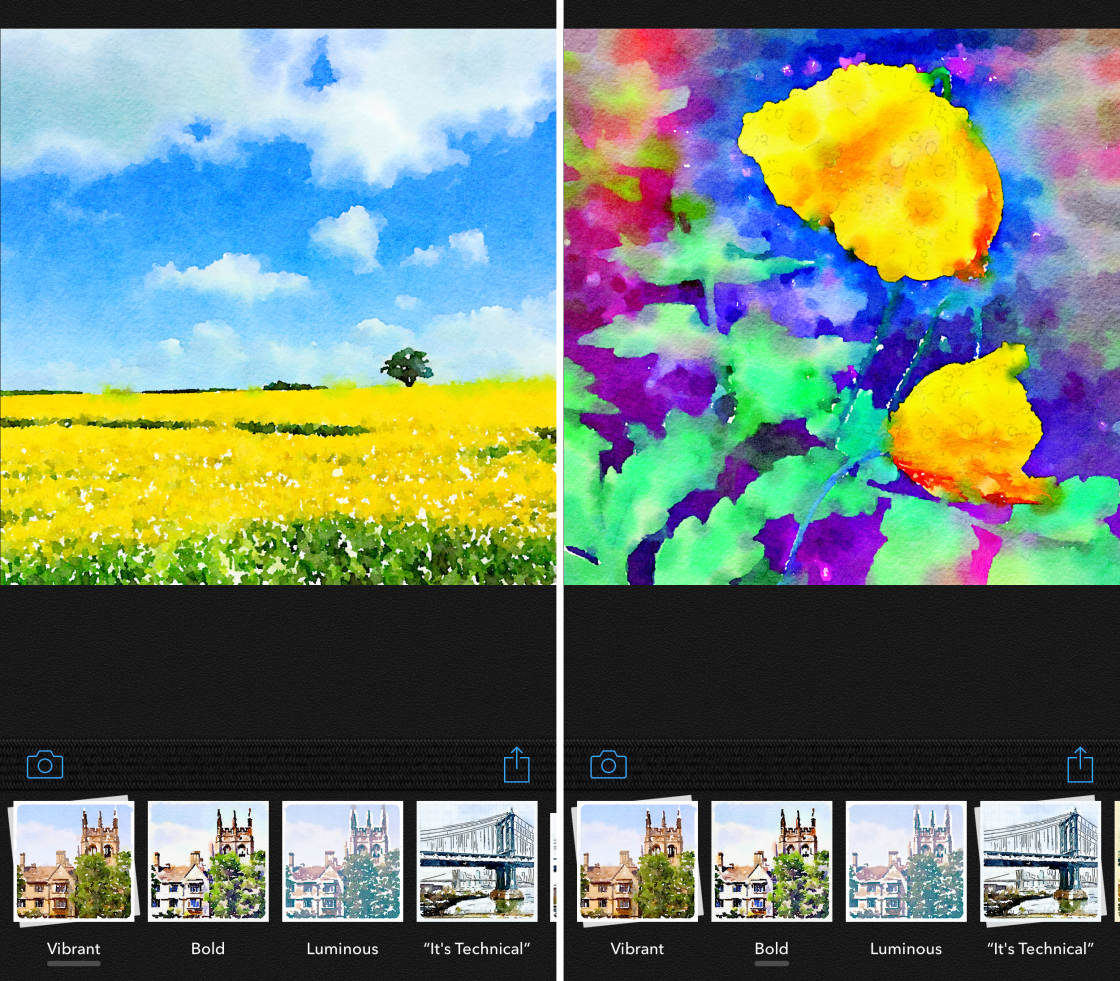
There are 14 gorgeous watercolor styles to choose from. Each style varies in wetness, outline, and color.
painting apps

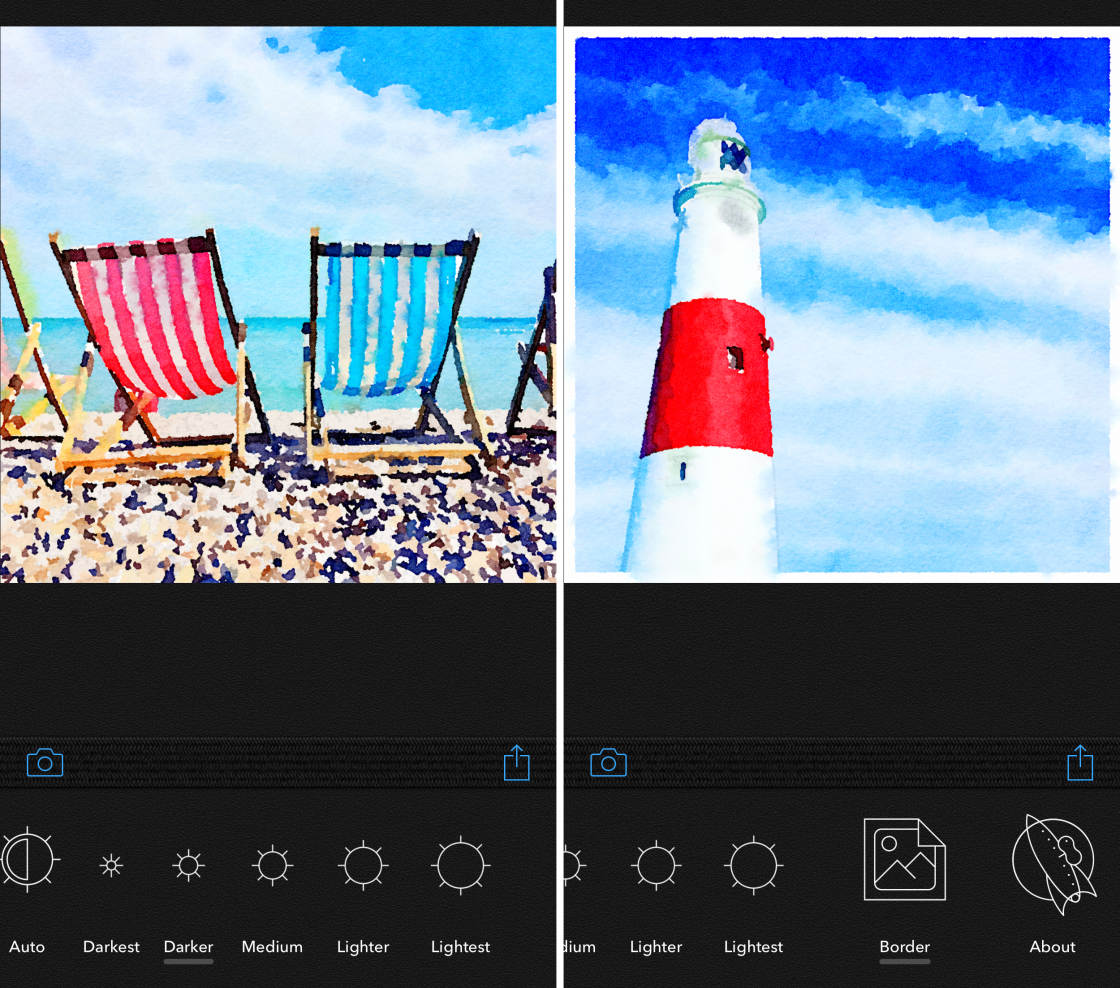
After applying your chosen paint style, you can change the brush size and image brightness. You can also add a white border if you wish.
painting apps

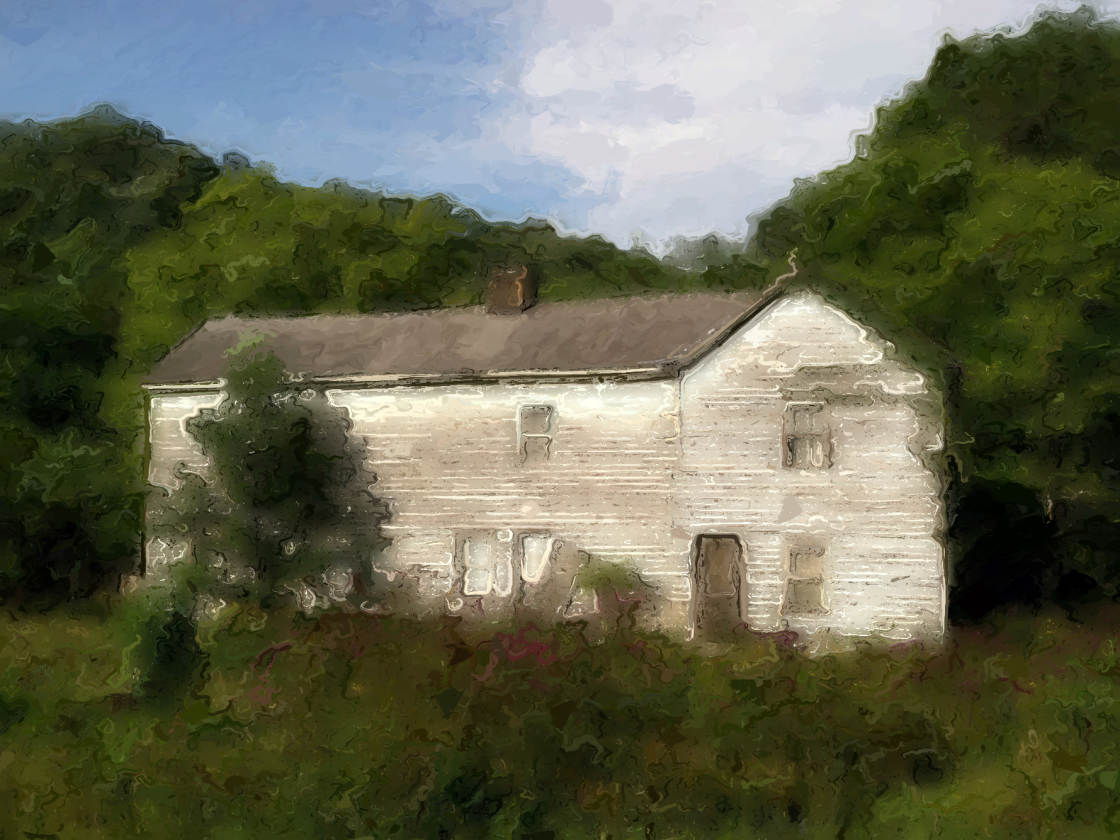
I find this app works best on landscapes, street scenes, and still life photos.
painting apps

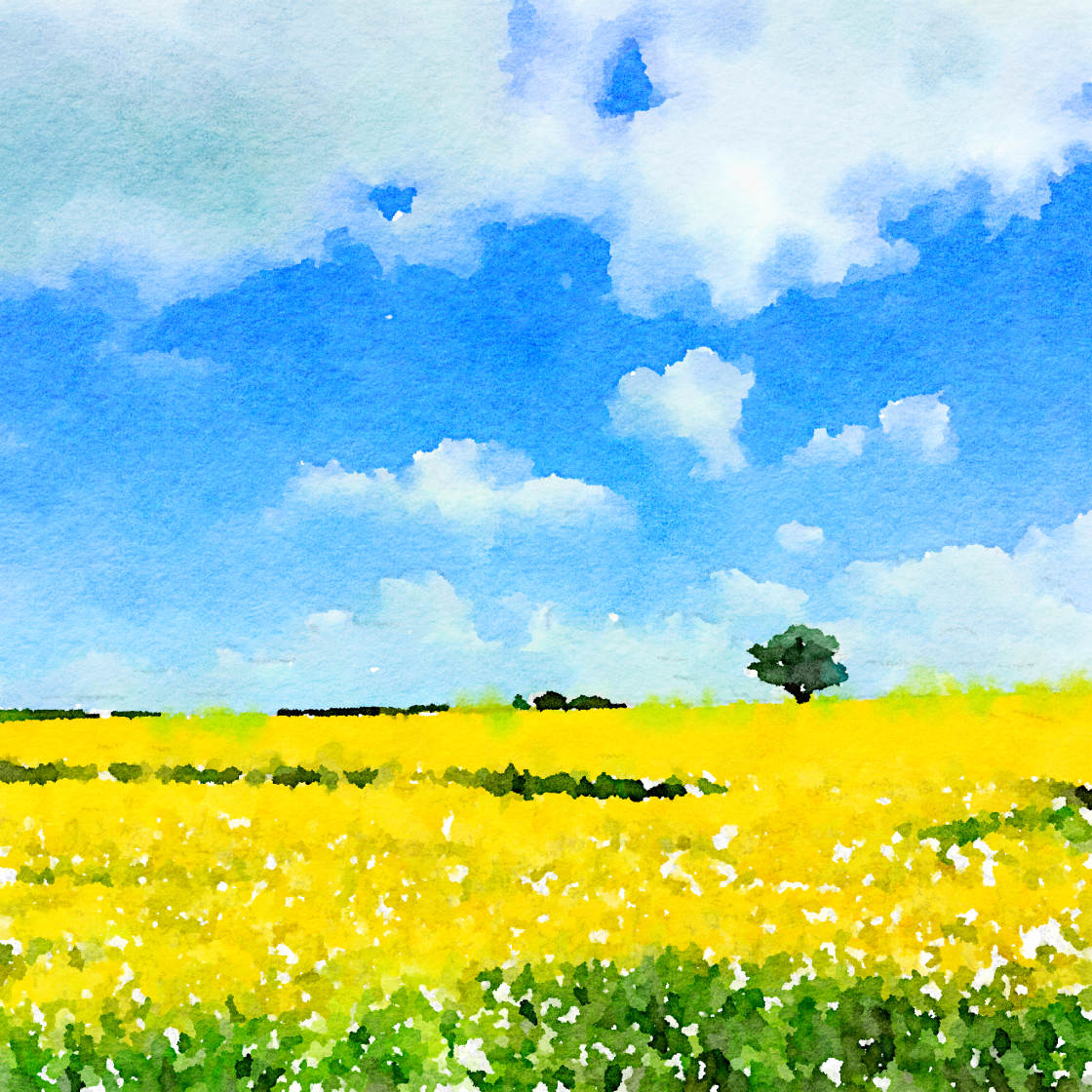
It works particularly well on landscape photos that have a blue sky with white fluffy clouds.

painting apps

If you want to turn your photos into watercolor paintings, you can’t go wrong with Waterlogue.

It just a few seconds, this picture to painting app turns your photos into incredible works of art!

4. Portrait Painter App

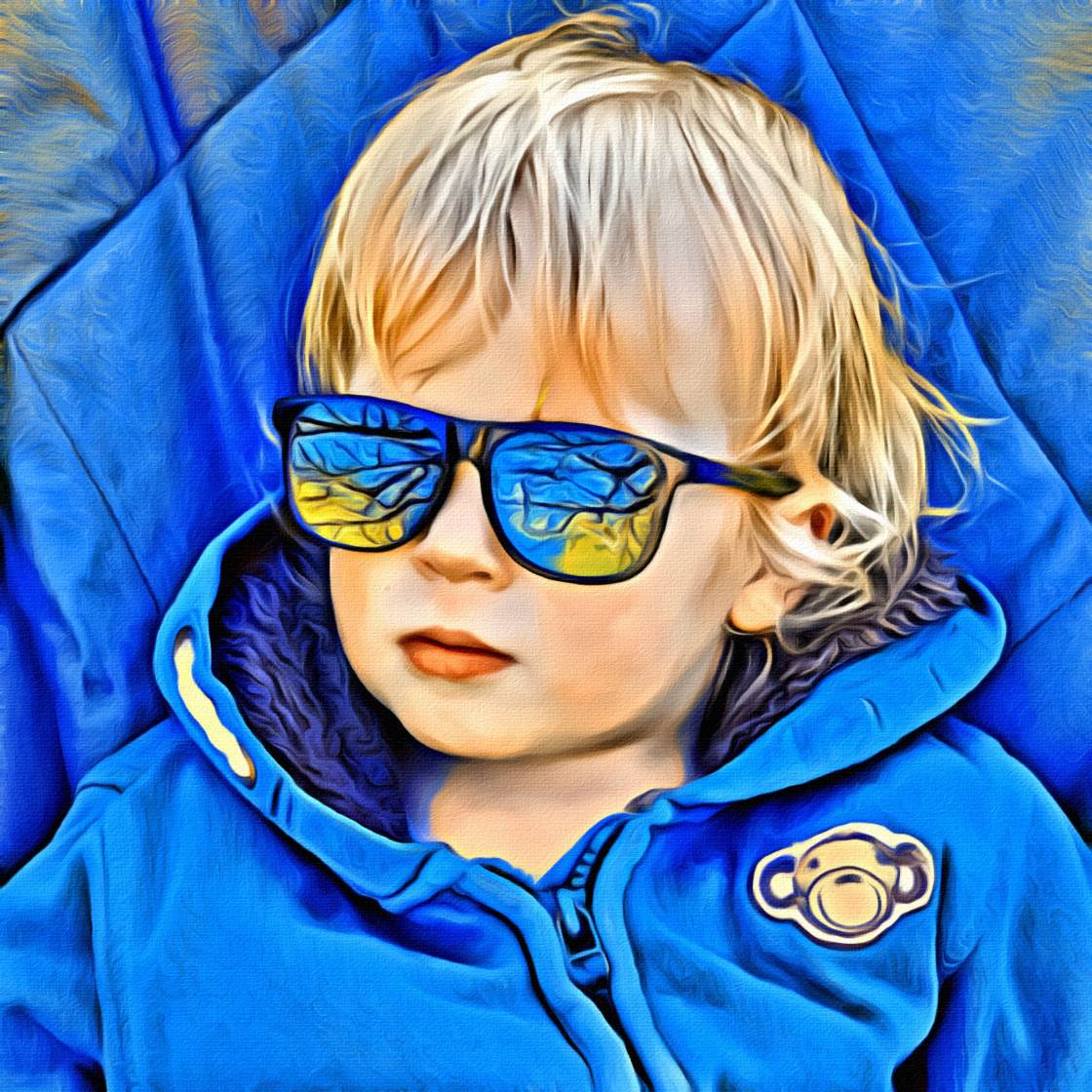
The Portrait Painter app ($2.99) is designed for turning your portrait photos into stylized paintings.
painting apps

But it’s actually ideal for any type of photo.

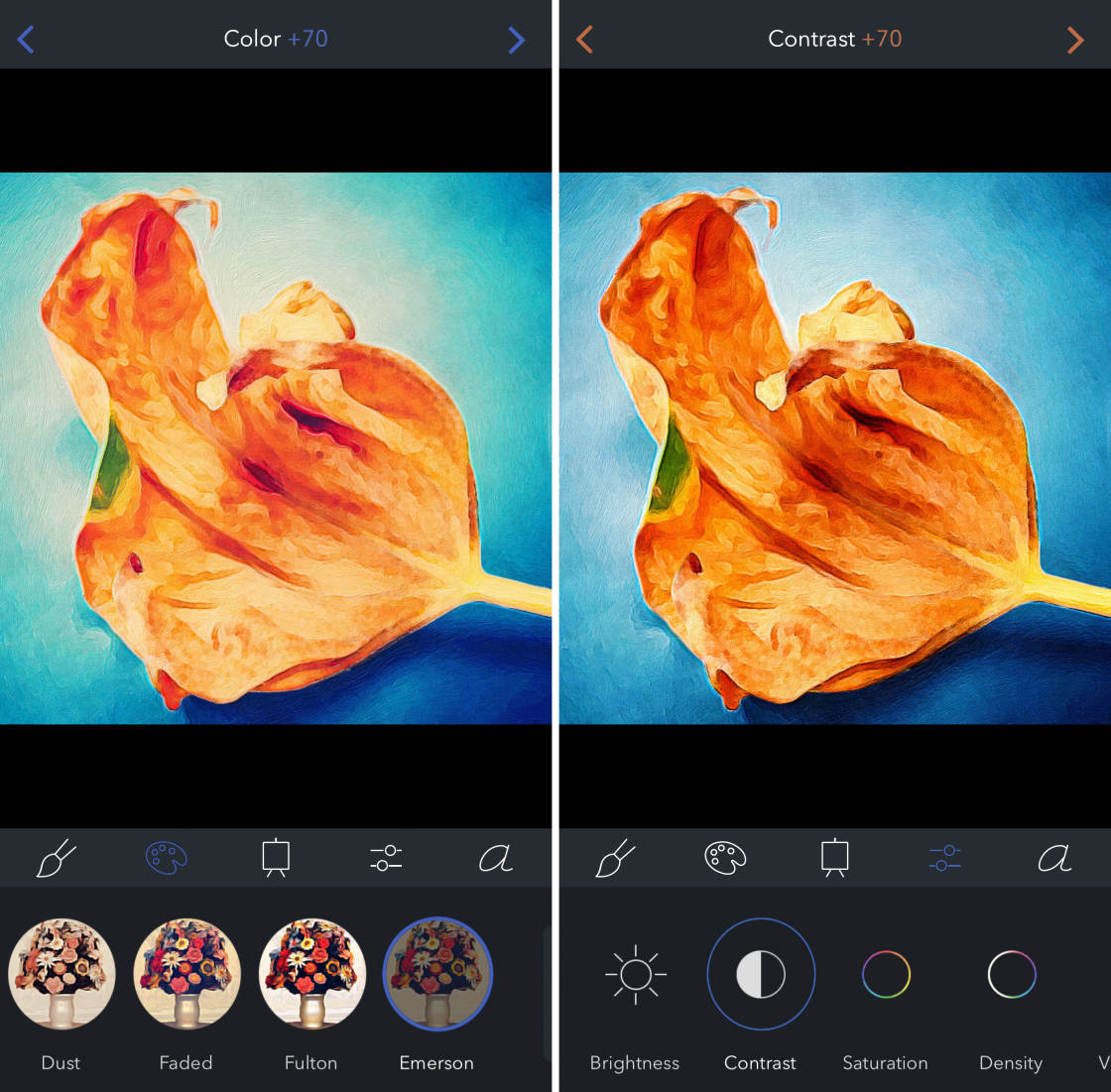
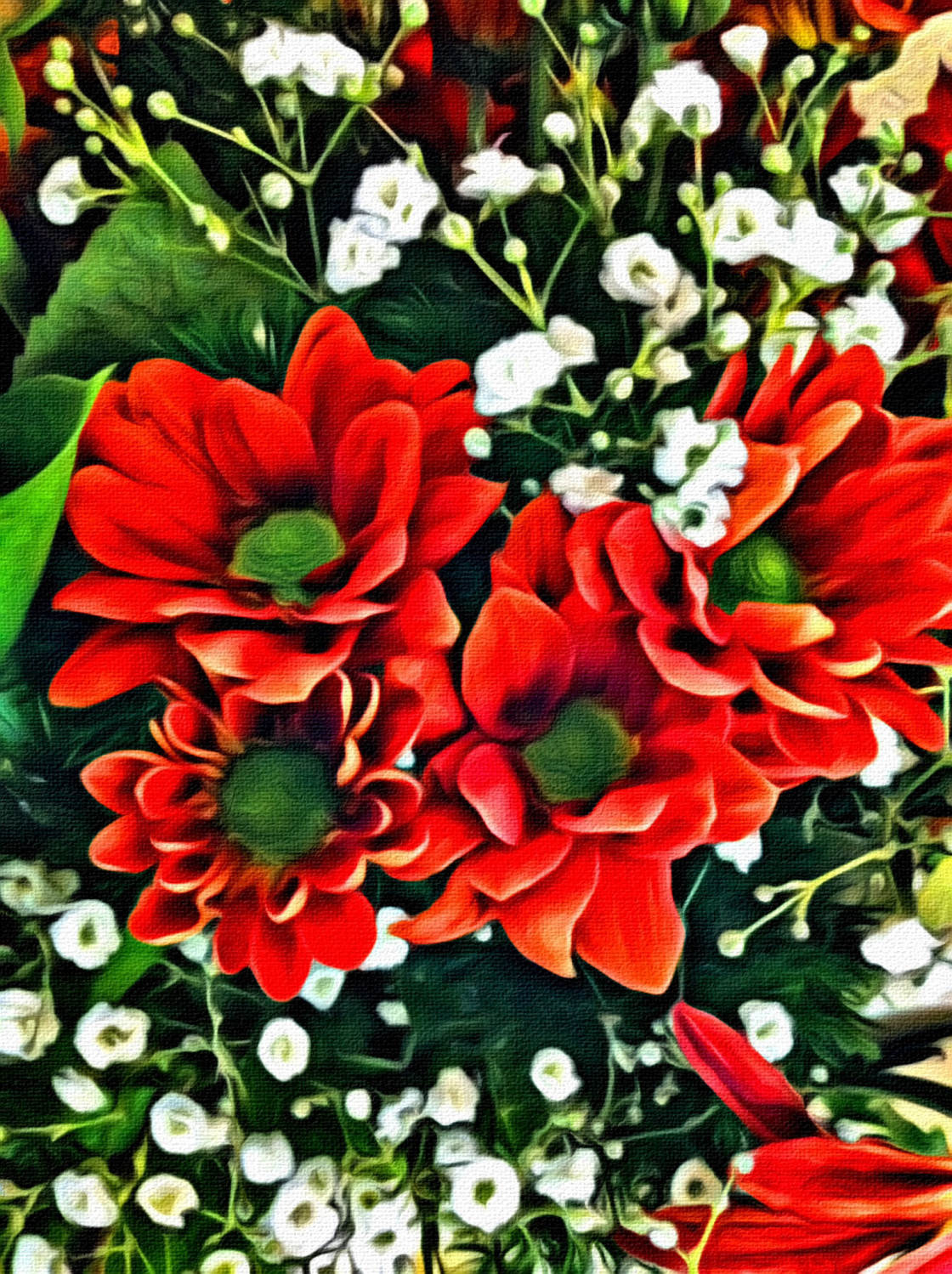
It does a terrific job of bringing out color and contrast, as you can see in the flower picture below.
painting apps

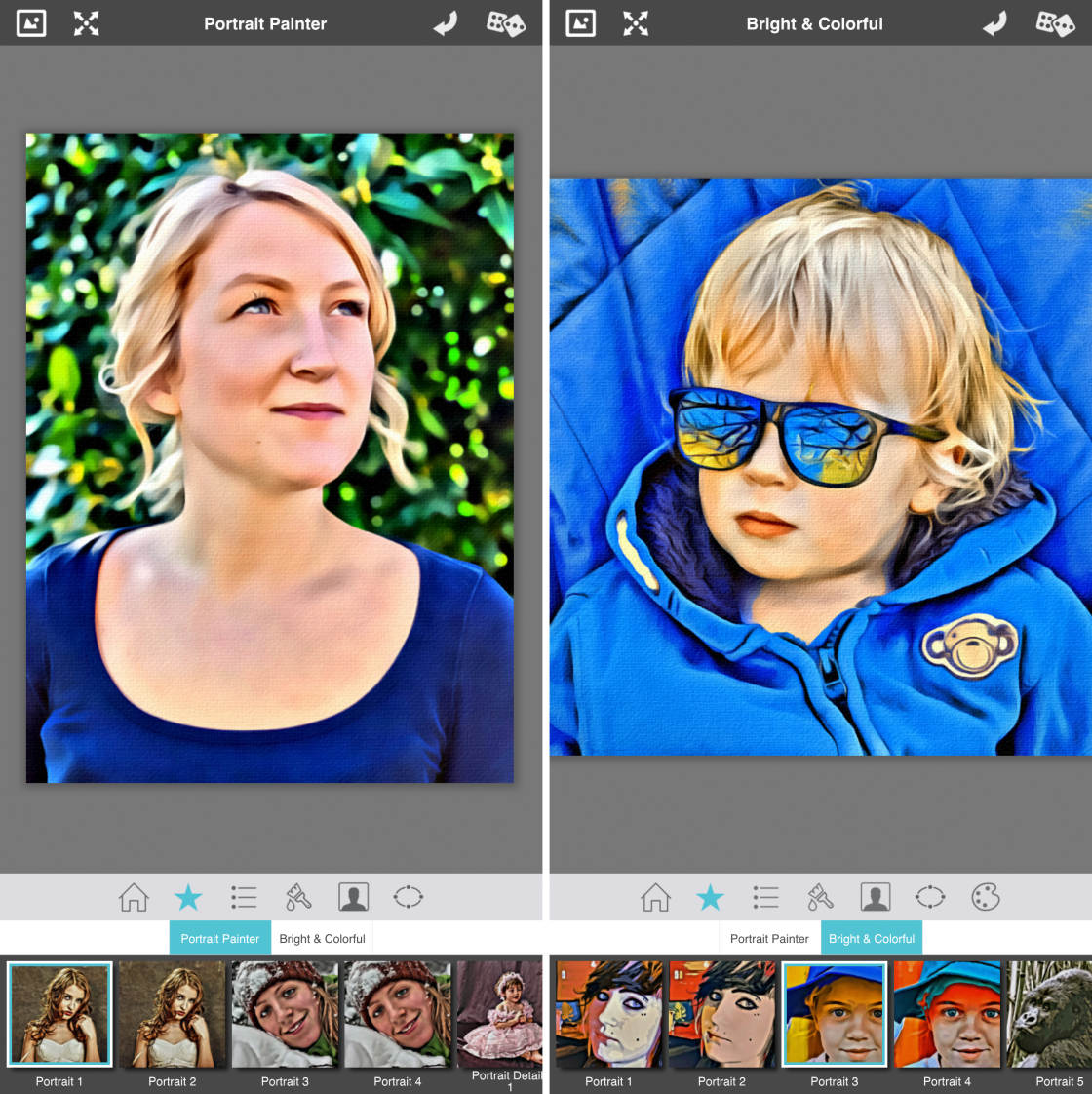
There are over 25 different painting styles to choose from.

Styles are divided into two categories: Portrait Painter and Bright & Colorful.
painting apps

The Portrait Painter styles retain the image’s natural colors. And the Bright & Colorful styles use bold, colorful brushstrokes.

You can customize your painting using a range of settings. These include brush size, skin smoothing, color enhancement, and canvas style.
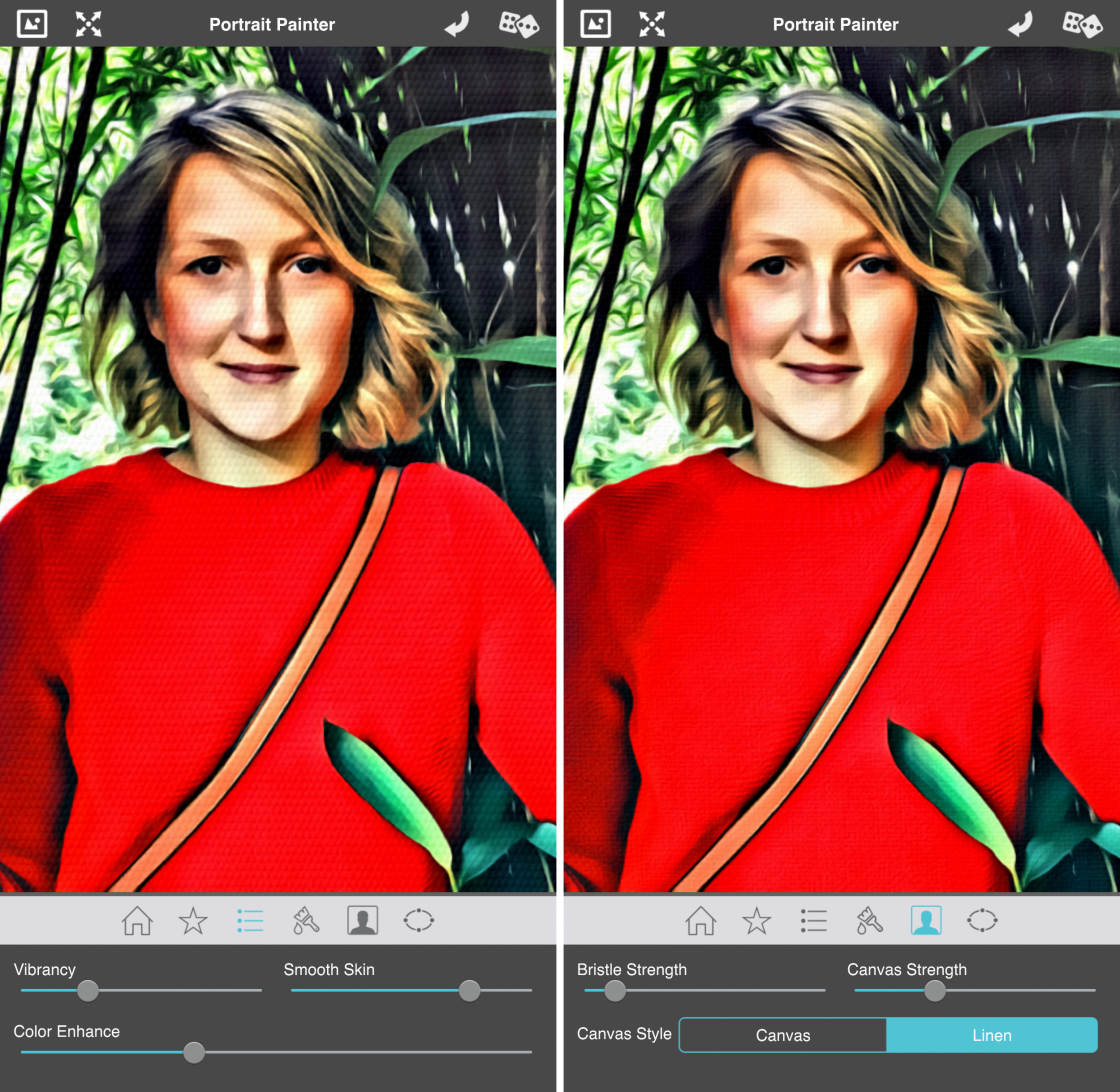
painting apps

If you want to create bold, colorful paintings on a textured canvas background, Portrait Painter is a great choice.
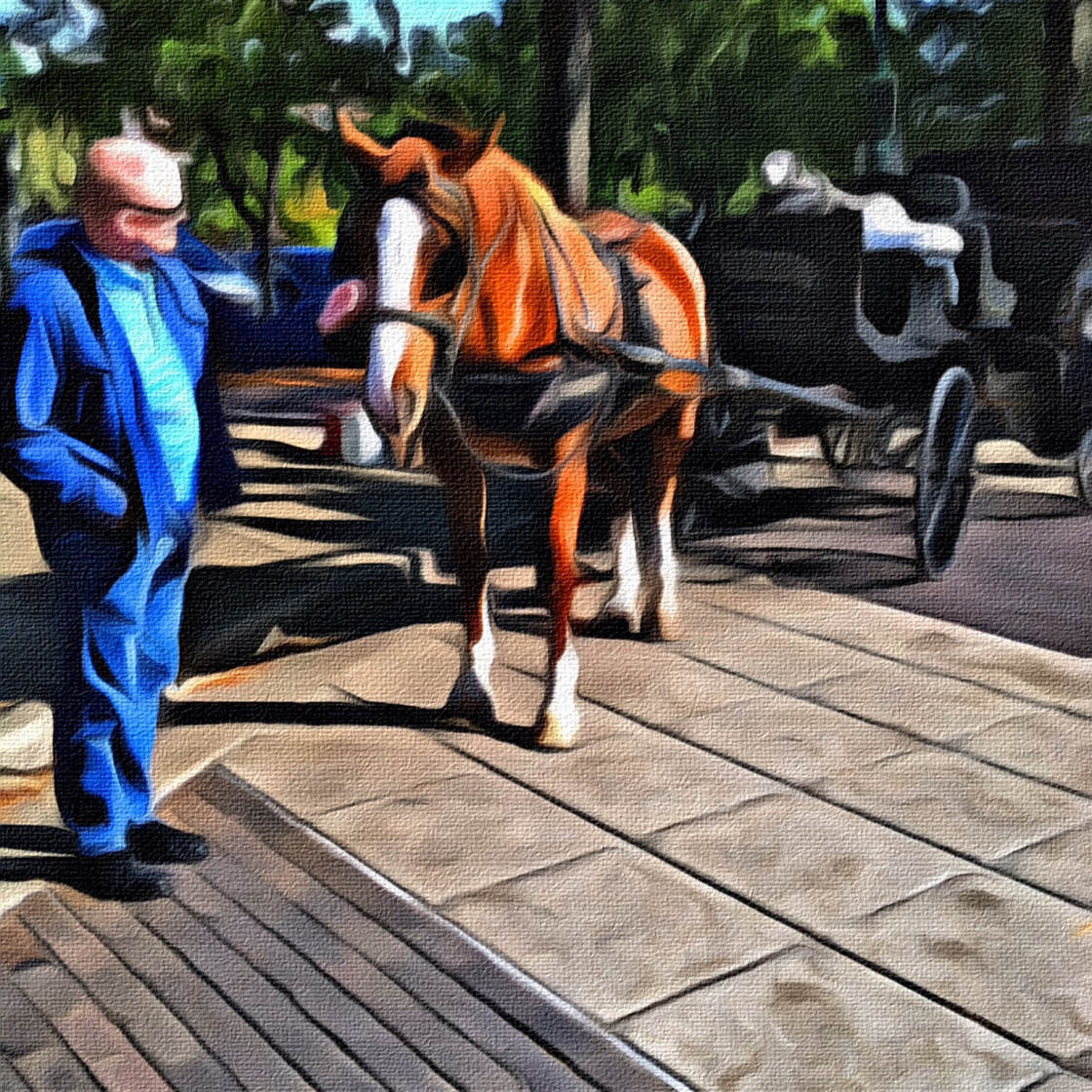
painting apps

Remember, you don’t need to limit yourself to portraits of people and pets. This painting style can work on many different kinds of photo.

5. Tangled FX App

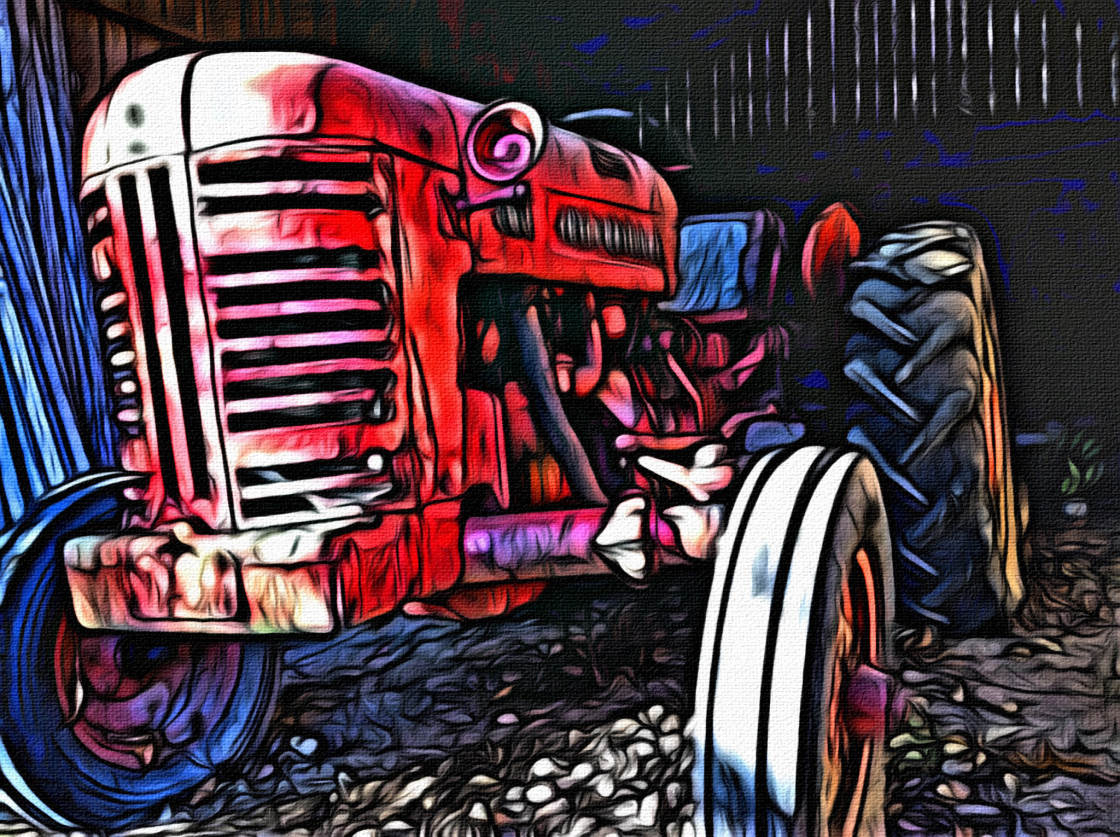
The Tangled FX app ($2.99) creates a truly distinctive look.
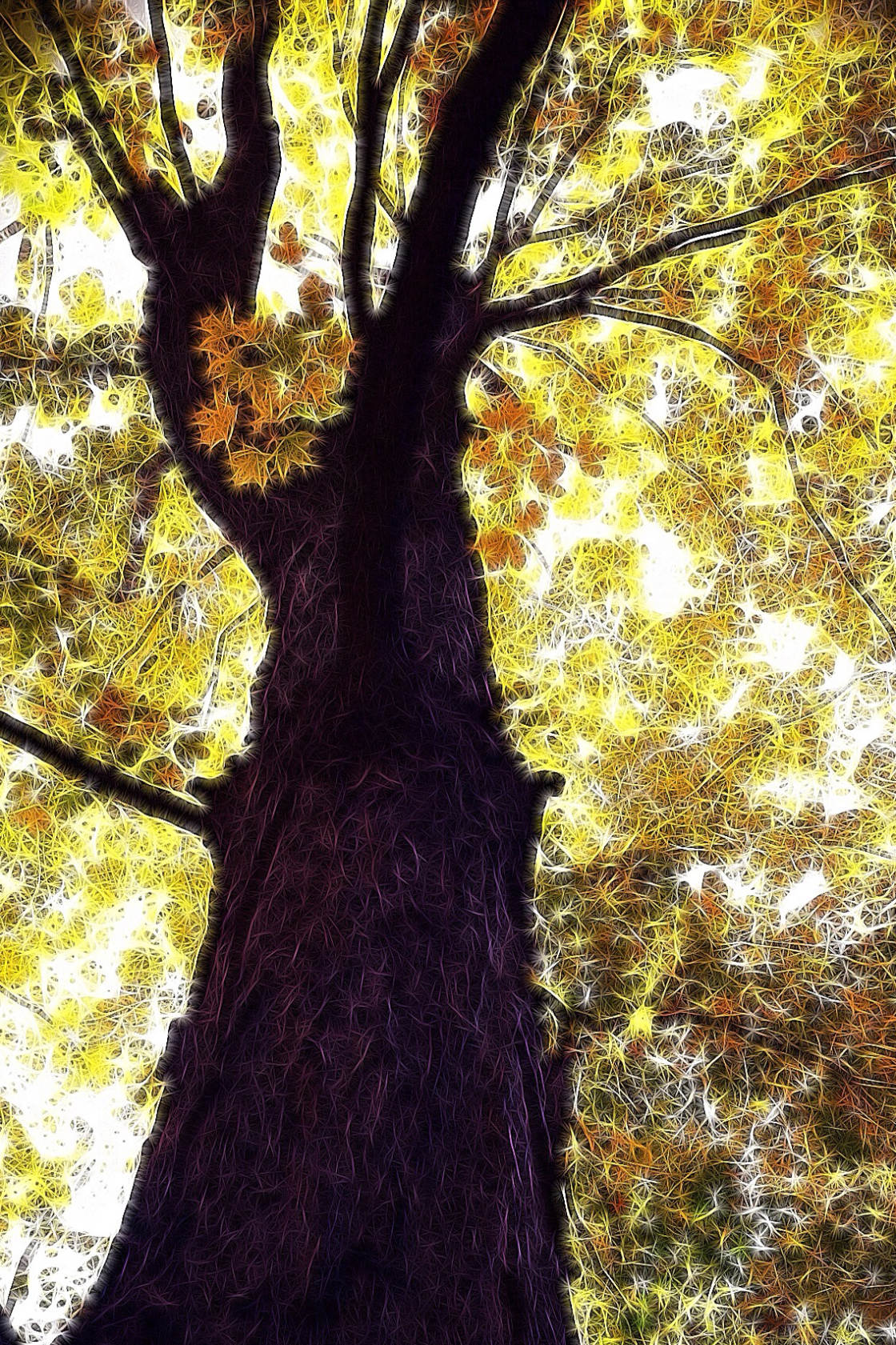
painting apps

It turns your photos into paintings using “tangled” effects such as fibers, swirls, webs, and etching.
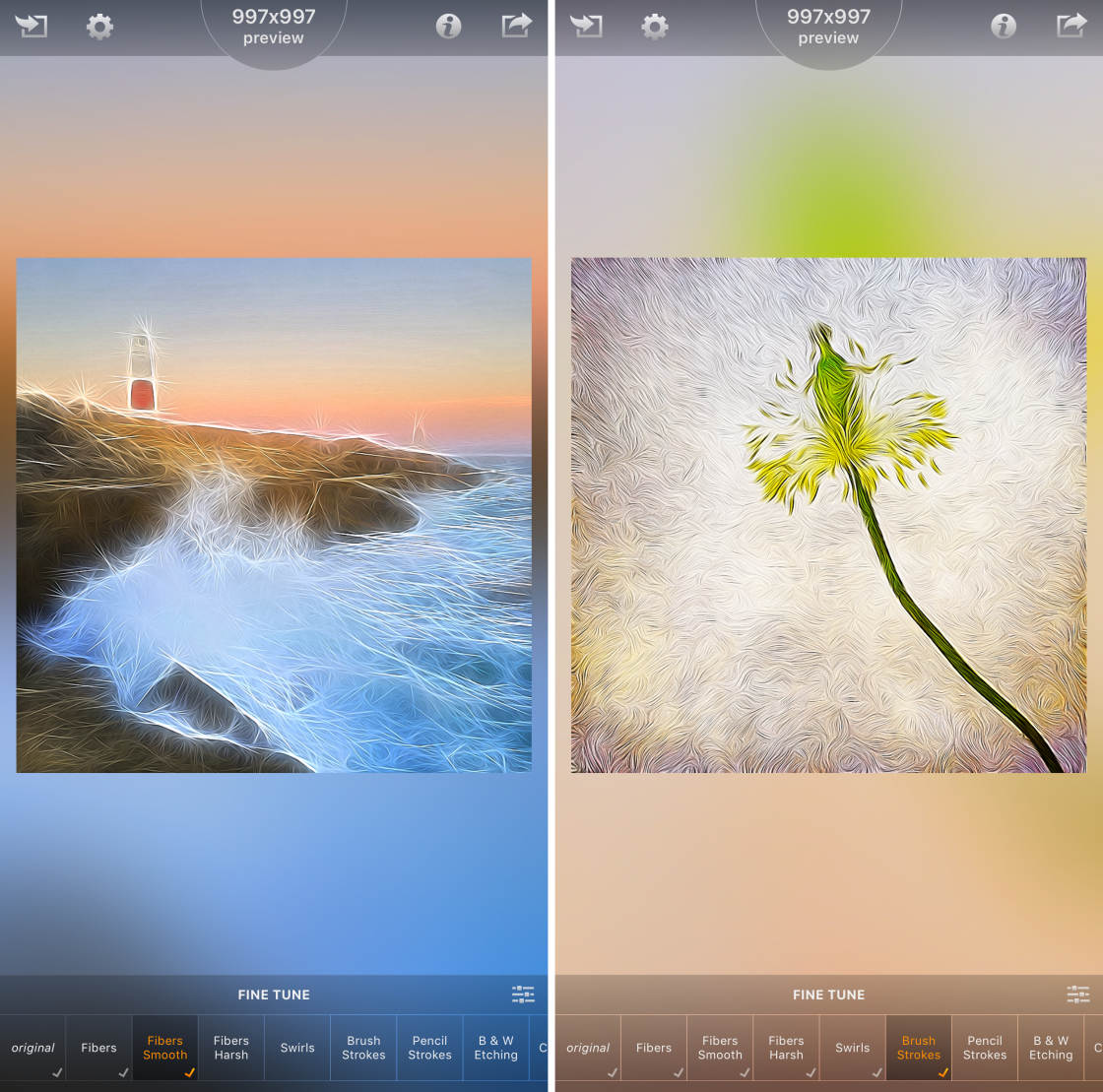
painting apps

Tangled FX has 16 painting styles to choose from.

And you can fine-tune each style using a range of color and contrast settings.
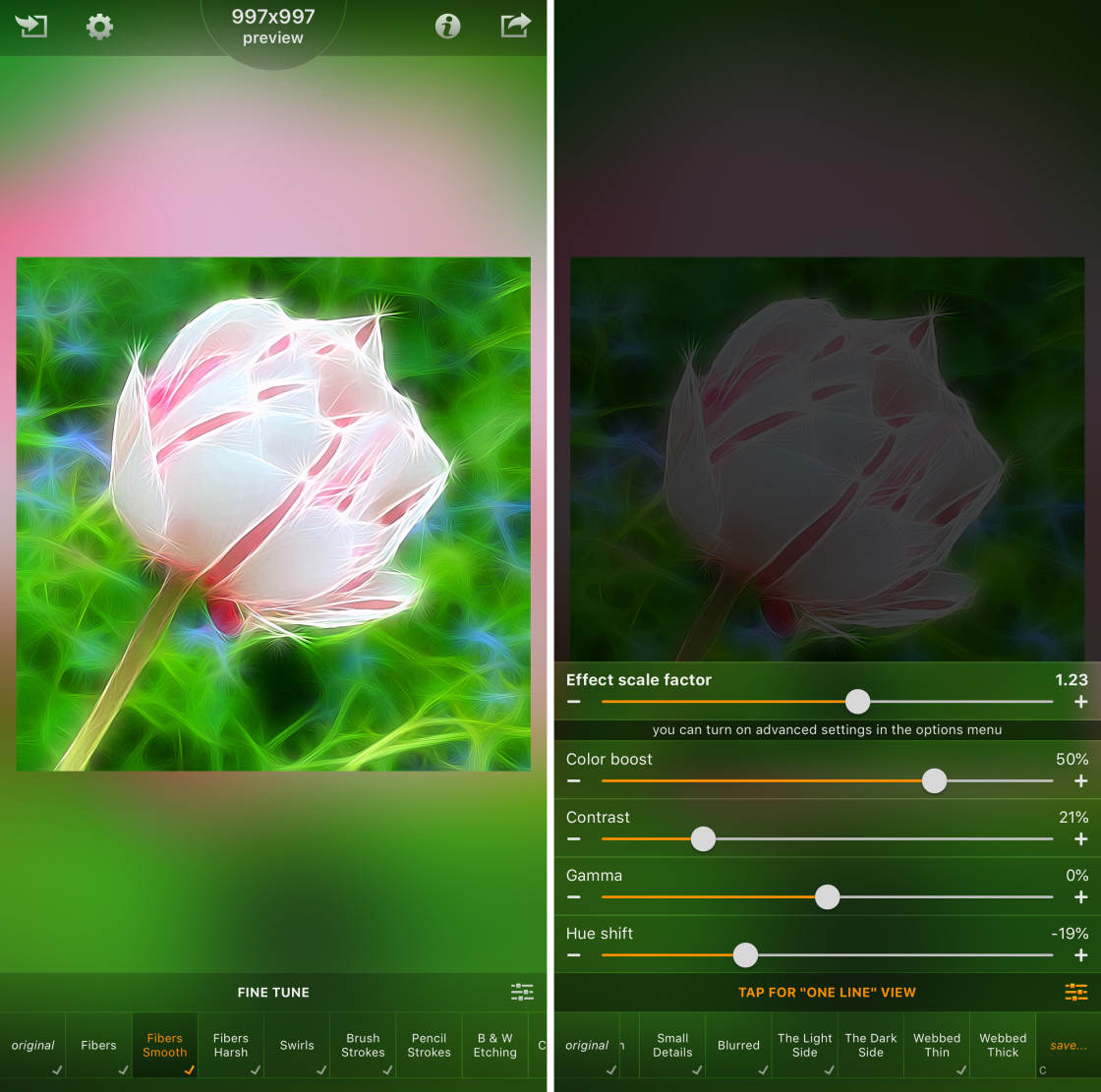
painting apps

You can also adjust the intensity of the effect to achieve the exact look you want.
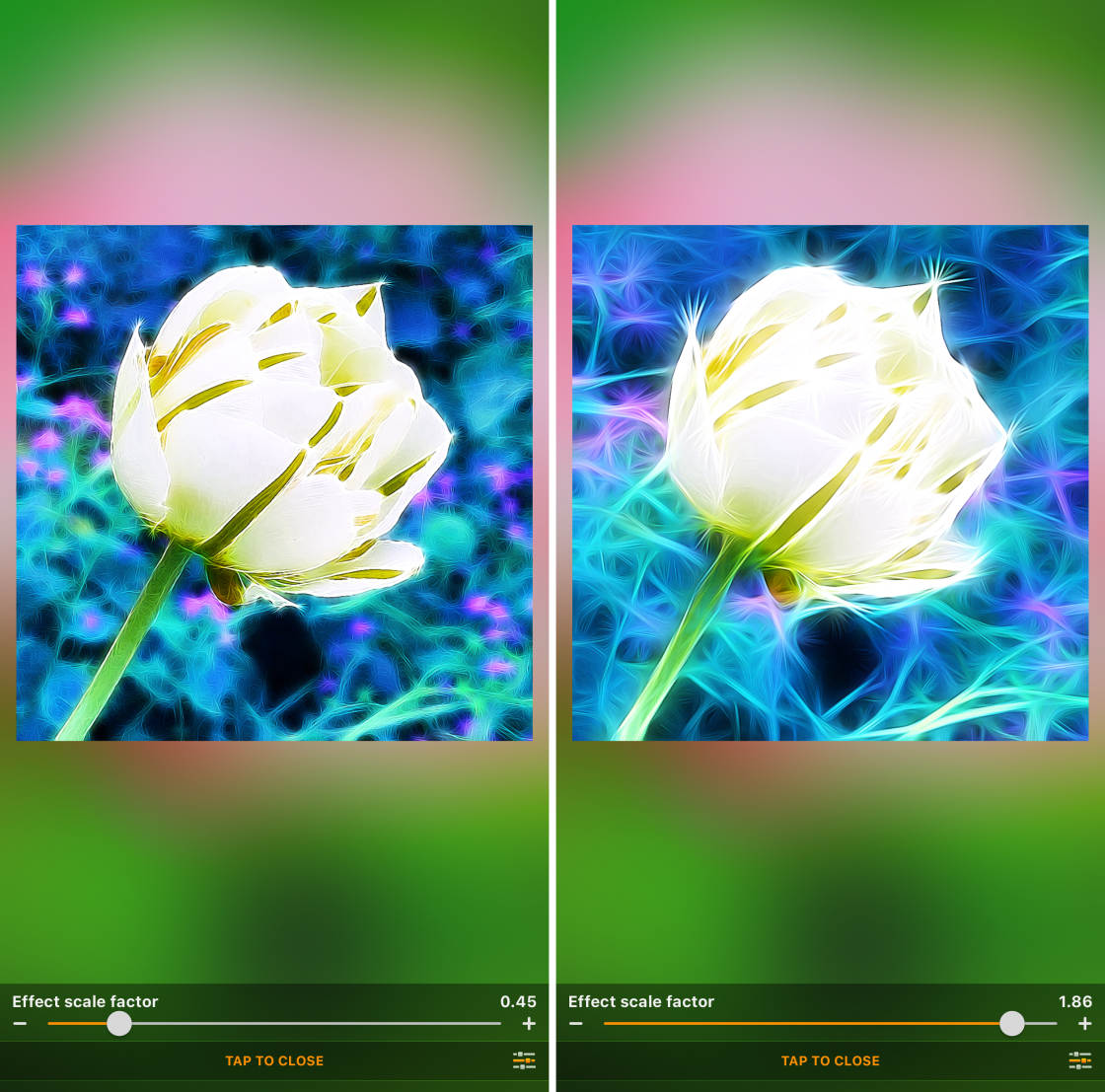
painting apps

If you want to add a unique, abstract style to your photos, try Tangled FX. You’ll be amazed at what you can create!
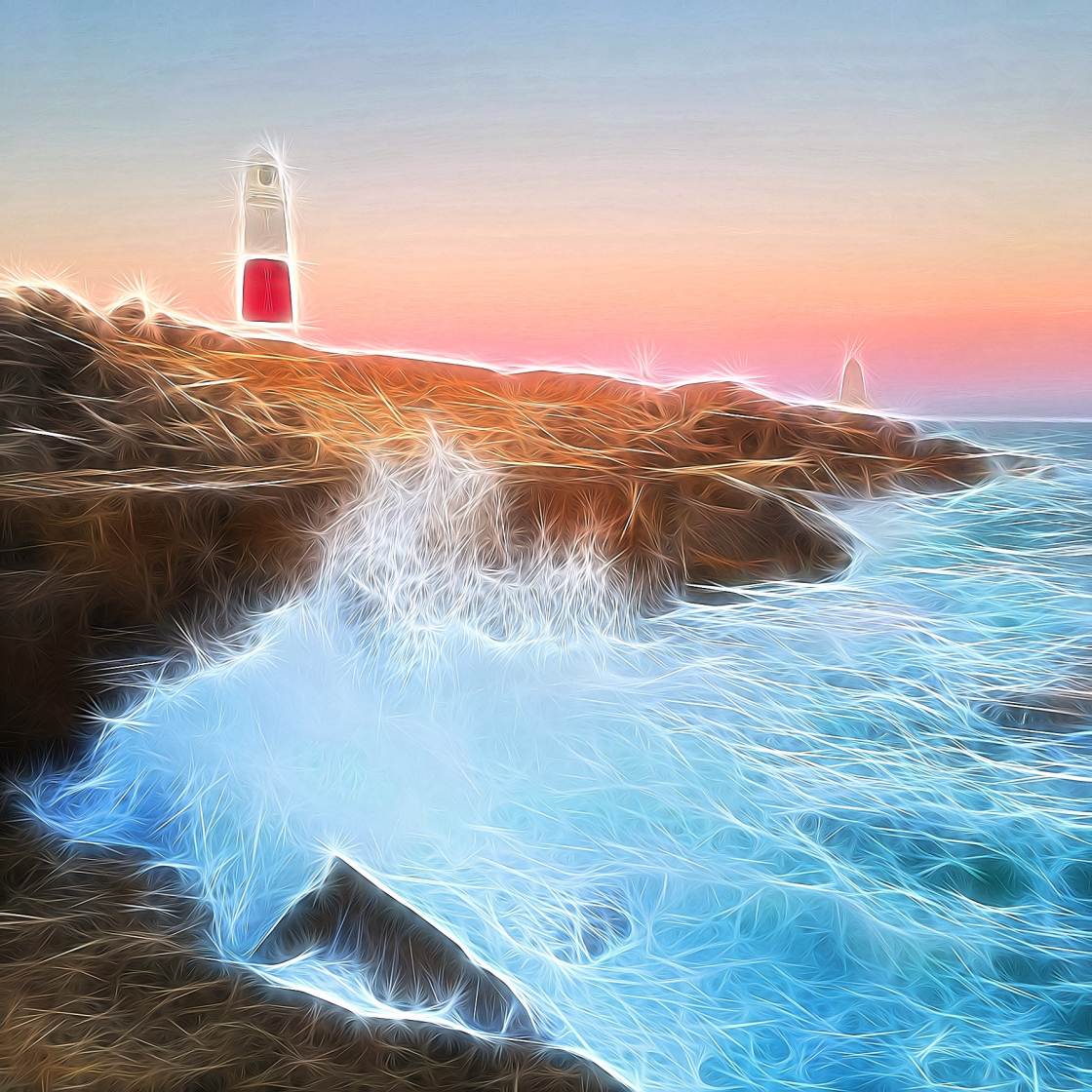
painting apps

How To Turn A Picture Into A Drawing

Do you enjoy using iPhone photo painting apps? If so, you’ll probably enjoy turning your photos into drawings and sketches too!
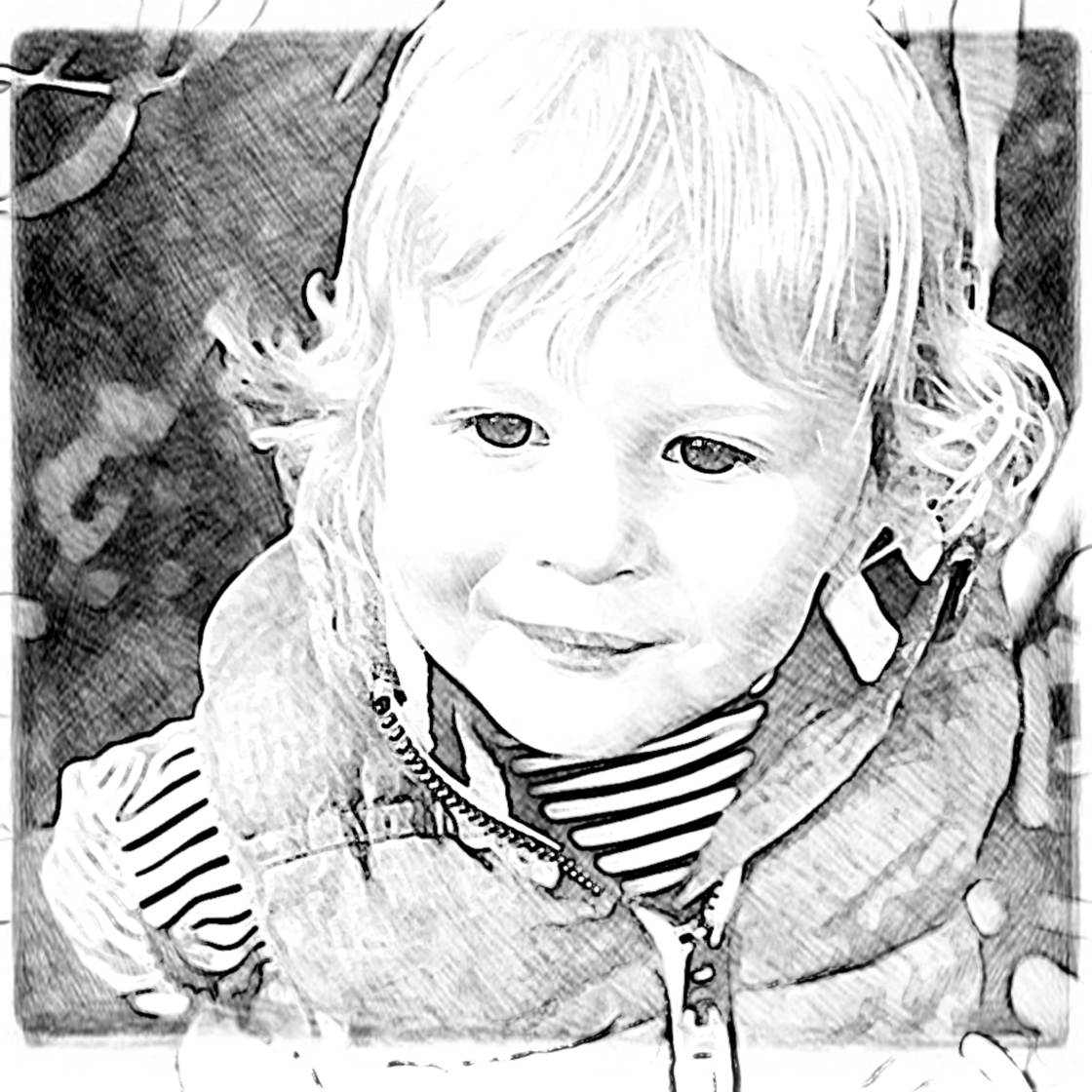
painting apps

Check out our comparison of the 6 best apps that turn photos into drawings.

The post 5 Best Painting Apps That Turn Your iPhone Photos Into Paintings appeared first on iPhone Photography School.


from iPhone Photography School http://bit.ly/2xnWkgX
via IFTTT
Email ThisBlogThis!Share to XShare to FacebookShare to Pinterest
  • Share This:  
  •  Facebook
  •  Twitter
  •  Google+
  •  Stumble
  •  Digg
Newer Post Older Post Home
Related Posts Widget

No comments:

Post a Comment

Newer Post Older Post Home
Subscribe to: Post Comments (Atom)
  • Popular Post

Popular Posts

  • How to fix Perspective Distortions on iPhone with these 5 Apps
    Perspective distortions in photography come in many different forms. Since I turned to iPhone Photography in 2012, I've tried several ap...
  • A foggy morning in Kashmir.
    submitted by /u/flossy_malik [link] [comments] from iPhoneography: Photography from the iPhone https://ift.tt/3mssynr
  • Favorite concert photo - iPhone 13 Pro
    submitted by /u/Slewis4449 [link] [comments] from iPhoneography: Photography from the iPhone https://ift.tt/32NQdXU
  • Figured I’d try the eye shot on macro mode. Pretty neat.
    submitted by /u/bindtime [link] [comments] from iPhoneography: Photography from the iPhone https://ift.tt/3eopK5S
  • Downtown LA empty from lockdown/ iPhone 12pro/ no effects
    submitted by /u/goonship [link] [comments] from iPhoneography: Photography from the iPhone https://ift.tt/3lcZhcf
  • Watching YouTube with me | XS Max + VSCO
    submitted by /u/LurkerPatrol [link] [comments] from iPhoneography: Photography from the iPhone https://ift.tt/2na6bqn
  • iphone 12 pro max - night mode - no edit
    submitted by /u/wassupdota2 [link] [comments] from iPhoneography: Photography from the iPhone https://ift.tt/3mDqHg6
  • Burnaby, BC
    submitted by /u/Astrowrld11 [link] [comments] from iPhoneography: Photography from the iPhone https://ift.tt/3qtyltv
  • Aftermath of an avalanche that happened alongside highway 40 near empire, Co.
    submitted by /u/whtabtbob_ [link] [comments] from iPhoneography: Photography from the iPhone https://ift.tt/2KiYkPe
  • Birbs
    submitted by /u/itsjaboyamine [link] [comments] from iPhoneography: Photography from the iPhone https://ift.tt/3dUixvc

Video Of Day

Popular Posts

  • How to fix Perspective Distortions on iPhone with these 5 Apps
    Perspective distortions in photography come in many different forms. Since I turned to iPhone Photography in 2012, I've tried several ap...
  • A foggy morning in Kashmir.
    submitted by /u/flossy_malik [link] [comments] from iPhoneography: Photography from the iPhone https://ift.tt/3mssynr
  • Favorite concert photo - iPhone 13 Pro
    submitted by /u/Slewis4449 [link] [comments] from iPhoneography: Photography from the iPhone https://ift.tt/32NQdXU
  • Figured I’d try the eye shot on macro mode. Pretty neat.
    submitted by /u/bindtime [link] [comments] from iPhoneography: Photography from the iPhone https://ift.tt/3eopK5S
  • Downtown LA empty from lockdown/ iPhone 12pro/ no effects
    submitted by /u/goonship [link] [comments] from iPhoneography: Photography from the iPhone https://ift.tt/3lcZhcf
  • Watching YouTube with me | XS Max + VSCO
    submitted by /u/LurkerPatrol [link] [comments] from iPhoneography: Photography from the iPhone https://ift.tt/2na6bqn
  • iphone 12 pro max - night mode - no edit
    submitted by /u/wassupdota2 [link] [comments] from iPhoneography: Photography from the iPhone https://ift.tt/3mDqHg6
  • Burnaby, BC
    submitted by /u/Astrowrld11 [link] [comments] from iPhoneography: Photography from the iPhone https://ift.tt/3qtyltv
  • Aftermath of an avalanche that happened alongside highway 40 near empire, Co.
    submitted by /u/whtabtbob_ [link] [comments] from iPhoneography: Photography from the iPhone https://ift.tt/2KiYkPe
  • Birbs
    submitted by /u/itsjaboyamine [link] [comments] from iPhoneography: Photography from the iPhone https://ift.tt/3dUixvc

Blog Archive

  • ►  2022 (17)
    • ►  May (1)
    • ►  January (16)
  • ►  2021 (7723)
    • ►  December (325)
    • ►  November (680)
    • ►  October (686)
    • ►  September (670)
    • ►  August (678)
    • ►  July (614)
    • ►  June (633)
    • ►  May (691)
    • ►  April (694)
    • ►  March (701)
    • ►  February (648)
    • ►  January (703)
  • ►  2020 (8263)
    • ►  December (718)
    • ►  November (689)
    • ►  October (626)
    • ►  September (685)
    • ►  August (715)
    • ►  July (697)
    • ►  June (672)
    • ►  May (700)
    • ►  April (694)
    • ►  March (706)
    • ►  February (656)
    • ►  January (705)
  • ▼  2019 (5435)
    • ►  December (712)
    • ►  November (687)
    • ►  October (703)
    • ►  September (681)
    • ►  August (675)
    • ►  July (709)
    • ►  June (657)
    • ▼  May (611)
      • kineticFIELD. iPhone X.
      • Loud, Bell Centre [iPhone X + Lightroom]
      • iPhone 4S + VSCO (2012)
      • Squishing the sun.
      • iPhone XS Max | VSCO
      • Richmond Night Market, shot with Spectre
      • iPhone XR | Lightroom
      • New York is Empty [iPhone 7: vsco]
      • Fire Poker plant (iPhone 6S Plus/Lightroom)
      • Night shot of KLCC (iPhone X)
      • Rainbow falls inside Watkins Glen Gorge, NY. iPhon...
      • Iceland Pt. 2
      • This cool “beware of wolf” sign on that employees ...
      • Portrait Mode. Neighbors City Chickens.
      • iPhone XR | unedited
      • Love Park, Philadelphia / iPhone XS
      • iPhone X non edited
      • Huge 80% Discount For iPhone Editing Academy Course
      • Chicago taken with iPhone 8
      • 1st Year On Earth [iPhone 6s Plus: VSCO]
      • Lord Howe Island (iphone 6)
      • Moody - capture on XS Max in Scotland UK, processe...
      • Greenery taken on iPhone 6s Plus, slight edit on S...
      • Sunset in Tacoma, WA (iPhone 7)
      • iPhone 6s - Fort Myers
      • iPhone 6s - Sanibel Island Early Sunrise
      • iPhone 8+, In Phone Smart edit. So Cal Superbloom.
      • A flower tree taken with iPhone 8
      • Ranch in Central Texas + google photos smart edit ...
      • Holden Reservoir | iPhone XS Max | VSCO
      • iPhone X | not edited
      • Spain. iPhone 7 Plus, VSCO.
      • Simple ATM (iPhone XS Max / Snapseed)
      • Garden. XR + stock enhance
      • Simple ATM (iPhone XS Max / Snapseed)
      • Golden Gate Straight [iPhone 7 Plus & Lightroom]
      • China Hong Kong City Shopping Mall | VSCO
      • Bird landed on balcony. Taken on iphone XS.
      • Lazy evening / Xs Max “ google photos
      • Lago del Brugneto (iPhone 8 Plus + VSCO)
      • Iceland
      • Maui continues to amaze me
      • How do I add photos to my iPhone from my computer ...
      • iPhone XR and Focos
      • A foggy night. Taken with iPhone 8
      • Asbury Park, NJ // Xs Max +VSCO
      • Shot on my iPhone 7 Plus with no extra lenses usin...
      • spring time rain // iphone xs max • halide • darkroom
      • Kerala, India. Evening at Houseboat, iPhone XS Max
      • baby shark - X | SKRWT | Snapseed
      • IPhoneXR. Snapseed.
      • Slow and steady wins the race. Shot on iPhone 8 Plus.
      • Montreal
      • Picture taken from my iphone XS on a rainy day...
      • Took this on my iPhone 7 at universal studios Orlando
      • Photo I took of my new Mac. iPhone XR
      • Got stuck with the aisle seat. [iPhone 6S, edited ...
      • Library. iPhone XR
      • Ixora | iPhone X
      • Kansas wheat field.
      • Taking off from Bermuda used Spectre
      • Bubbles! [Iphone 6S, Macro lens]
      • Cyprus/iPhone 8
      • Messed around downtown in the rain and got one I d...
      • Thought the Skylon Tower looked pretty cool tonigh...
      • Seagulls at Brighton's ruinous West Pier [OC] [iPh...
      • Thor visited my city
      • shot this on iPhone X during last night's thunders...
      • At a diner just after sunrise. iPhone XR. Edited o...
      • iPhone Xs no filter stock camera. Florida.
      • Bridge to the beach (iPhone 6)
      • Newport RI, iPhone XS Max
      • Show off your carry/travel setup & case
      • An afternoon at the beach. Shot on iPhone X with M...
      • New York 2017 (iPhone 6 + VSCO)
      • Macro photography is like exploring a whole new wo...
      • Shot on iPhone Xr + Halide app
      • Maui | iPhone X | ProCam + Lightroom
      • iPhone X - 10x zoom - Vsco
      • There’s a Pyramid, so this must be Egypt | 6 plus ...
      • The station - XR
      • Mastering the Basics : Adobe Lightroom
      • Golden Hour (iPhone 6s, unedited, stock cam)
      • How To Use Photo Editing Apps To Make Ordinary Pho...
      • Layover in Istanbul (iPhone 7 Plus/Lightroom)
      • Sydney River. Shot on iPhone 6
      • Corsican favelas, taken from iPhone 8
      • iPhone 8 Plus portrait mode - my photogenic cat
      • Cloudy sky in Paris / iPhone 8
      • Meerkat at the Zoo. iPhone X.
      • Shot on my iPhone Xs. No filter, stock camera.
      • iPhone XS Sandmarc Wide lens distortion?
      • i took a photo of the sunset. XR + HALIDE.
      • Pastis exploring San Francisco, shot on iPhone X b...
      • I took a picture of a Bridge from my iPhone SE. Cr...
      • Bowie enjoying a sunny day| iPhone X
      • 10 Hidden iPhone Camera Features Every Photographe...
      • Las Vegas Paris [8 plus]
      • Portrait of a dog - iPhone X portrait mode, edited...
      • [iPhoneXR] Makapu’u Lighthouse
      • Scottsdale Civic Library (iPhone 8+)
      • Reflections from Buenos Aires
      • Yellow metro | 7+ | Halide + Darkroom
      • Objects in the Mirror | iPhone 7+
      • Question About Dust on Lens
      • Eiffel Tower | iPhone 6S Plus
      • Lobster pots - no edits
      • Texas Direct Mural in Downtown Houston
      • Review: Adobe Lightroom Mobile and what's included...
      • Pick your side. Shot on iPhone 8 Plus
      • Urine trouble | iPhone X Afterlight 2
      • Paying Respects
      • 7am @ Atlantic beach.
      • Sunset over a barley field (iPhone 6S Plus)
      • .|6s plus * google photos
      • Chesapeake Bay. Annapolis, MD. iPhone XR
      • Streets of Malaysia. Shot on iPhone 8 plus with Mo...
      • Paris cityscape, iPhone 8
      • Marina Bay Sands, Singapore [iPhone XR, Unedited]
      • A scenic hike in Oregon -XS unedited
      • The Calling [iphone 6 plus + Lightroom edit]
      • Sevilla, Spain (X-Unedited)
      • Dusk in Denver. iPhone XR + focos
      • Storm In Miami - unedited - can anyone explain the...
      • Dubai Mall [iPhone XR + Stock(no edits)]
      • [iPhone XR] Bay st at Queen st W.
      • Hiking in Vermont | iPhone XS + Moment app
      • Soni Plateau, Japan (iPhone XR unedited)

Tags

  • and reviews
  • Apps and Reviews
  • IFTTT
  • iPhone photography & Traveling light blog
  • iPhone Photography Blog
  • iPhone Photography Blog | Tips
  • iPhone Photography Blog | tutorials
  • iPhone Photography School
  • iPhoneography: Photography from the iPhone
  • Photo Spots
  • Photos and Images taken with Apple iPhones
  • Reviews
  • tips
  • Tricks

Find us on Facebook

Headline

Followers

Subscribe

Name

Email *

Message *

Copyright © Mobiography | Powered by Blogger Design by HarshS |